

Who can do this: Users with the Manage Job Req Settings permission add activities to a job req’s workflow.Availability: Some activities are add-ons or need something set up for your account first. The table below notes which.
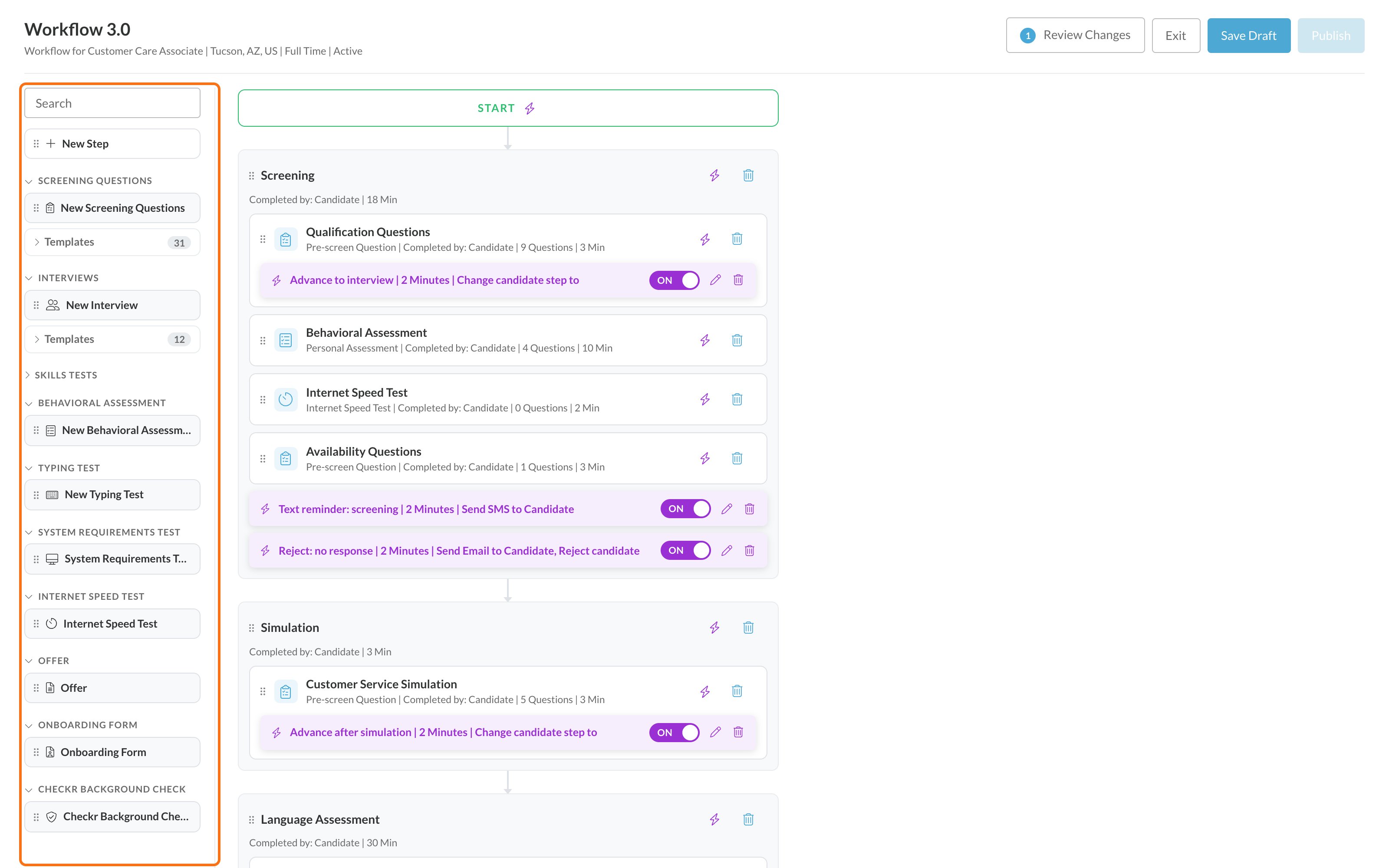
Activity catalog
On the Workflow page, each activity’s line shows its type and Completed by: Interviewer for interviews and Candidate for everything else. Offers, onboarding forms and background checks are worked from the Candidate Application by your team.
Set up an activity
After you drag an activity into a step, click it to open its settings on the right. Every activity has a name you can change at the top, and most have Estimated Time (Minutes). The rest depends on the type: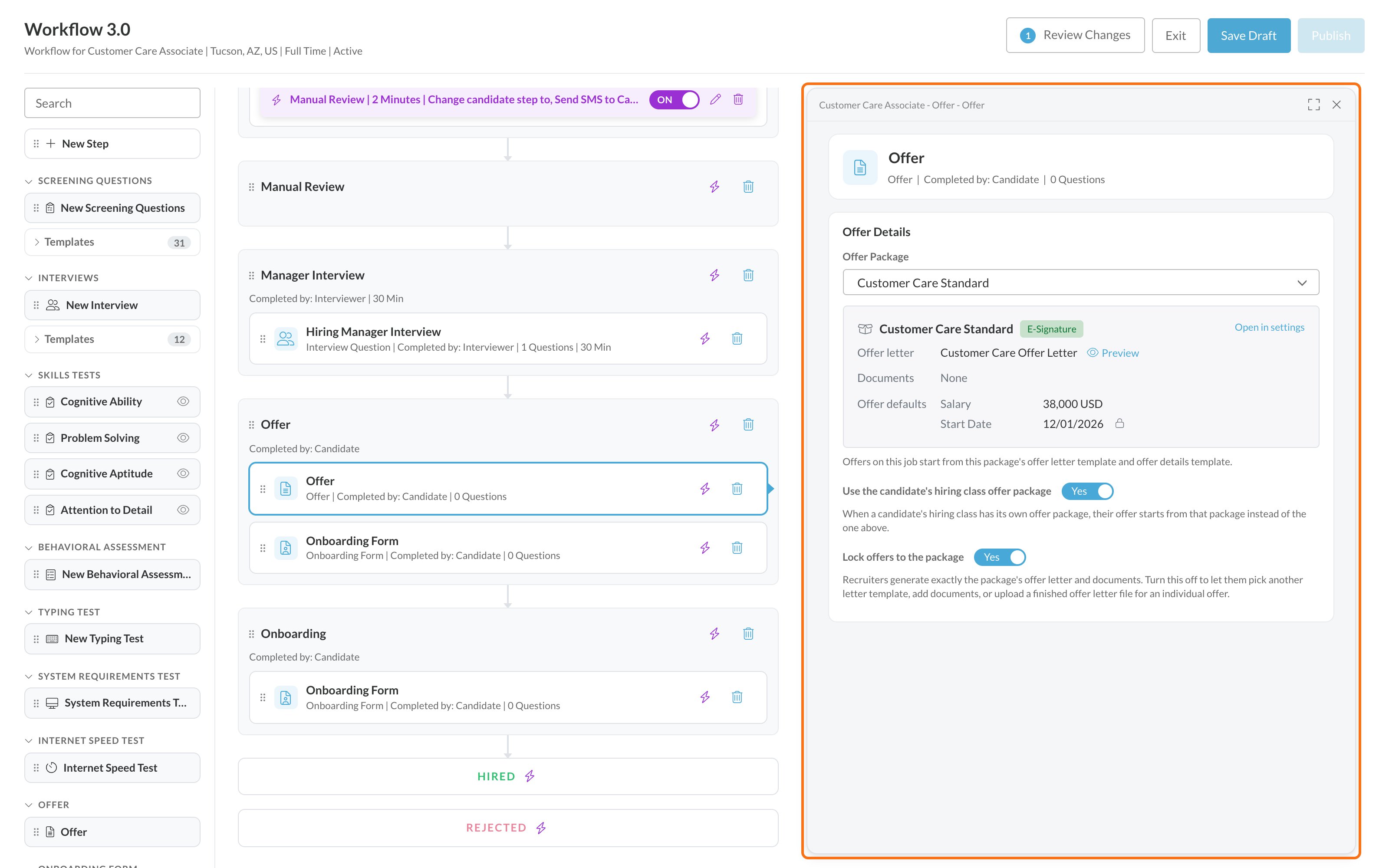
Choosing activities for a step
- One step can hold several activities. Candidates complete them in the order listed, unless the job req allows them to take activities out of order. See Job settings.
- Candidates only see activities in their current step. Your team or an automation rule moves them to the next step. See Build a workflow.
- Most activities produce a score that feeds the candidate’s overall score and can be used in automation rules. See How scoring works.
FAQ
Why don't I see a language assessment in the building blocks?
Why don't I see a language assessment in the building blocks?
Language assessments only appear once a partner is turned on for your account. Ask your Customer Success Manager. See Add-ons and credits.
I see Checkr Background Check, but we don't use Checkr. Can I add it?
I see Checkr Background Check, but we don't use Checkr. Can I add it?
The building block is listed on every account, but checks can only be ordered once an admin connects your Checkr account. See Checkr.
Why isn't the skills test I need listed?
Why isn't the skills test I need listed?
Skills Tests only lists the skills tests set up for your account. Ask your Customer Success Manager which skills tests are available for your roles. See Skills tests.
Where's AI resume scoring?
Where's AI resume scoring?
AI resume scoring isn’t an activity in a step. When it’s turned on for your account, you set it up on the job req under Setup, then AI Resume Scoring. See AI resume scoring.
Can I preview an activity before candidates see it?
Can I preview an activity before candidates see it?
Yes. On the Workflow page, click the eye icon (Preview Activity) on the activity. Partner assessments can’t be previewed. See Build a workflow.
Do offers and onboarding forms need to be in the workflow?
Do offers and onboarding forms need to be in the workflow?
Yes. The Offer tab and onboarding forms on a Candidate Application come from Offer and Onboarding Form activities in the job req’s workflow. Put them in the step where your team makes offers or onboards new hires.
Related
Build a workflow
Add steps and arrange activities.
Assessments overview
How Journeyfront’s assessments compare.
Automation rules
Act on candidates when they complete an activity.
Add-ons and credits
Turn on add-ons and track credits.