

Who can do this: Admins with the Company Settings Access permission.Availability: Add-ons are purchased separately. To turn one on or buy more credits, contact your Customer Success Manager.
See your add-ons
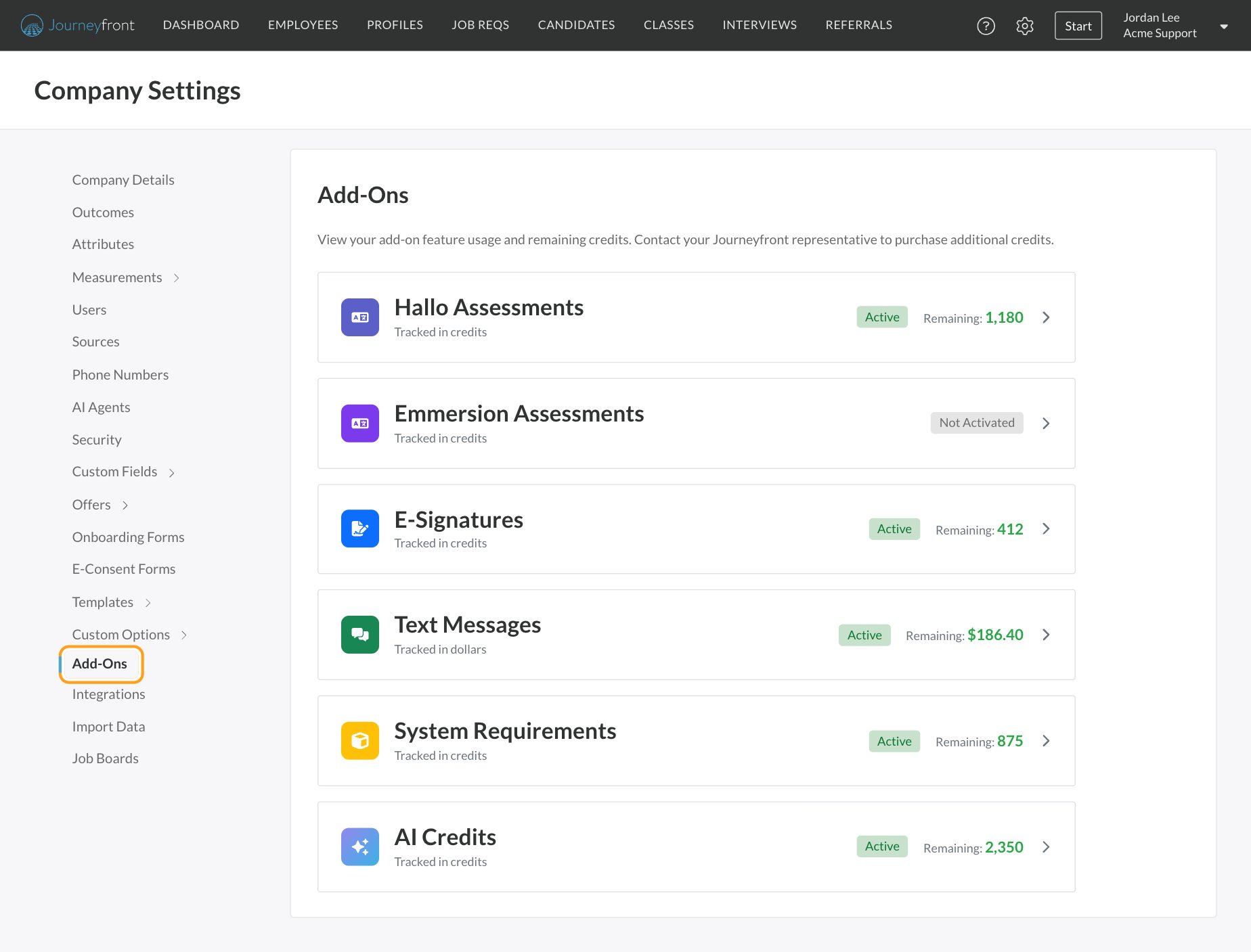
Go to Settings, then Add-Ons. Each add-on shows:- Its name and how it’s tracked: credits, or dollars for text messages.
- Active or Not Activated.
- Remaining: your balance. It turns red when you’ve used everything.
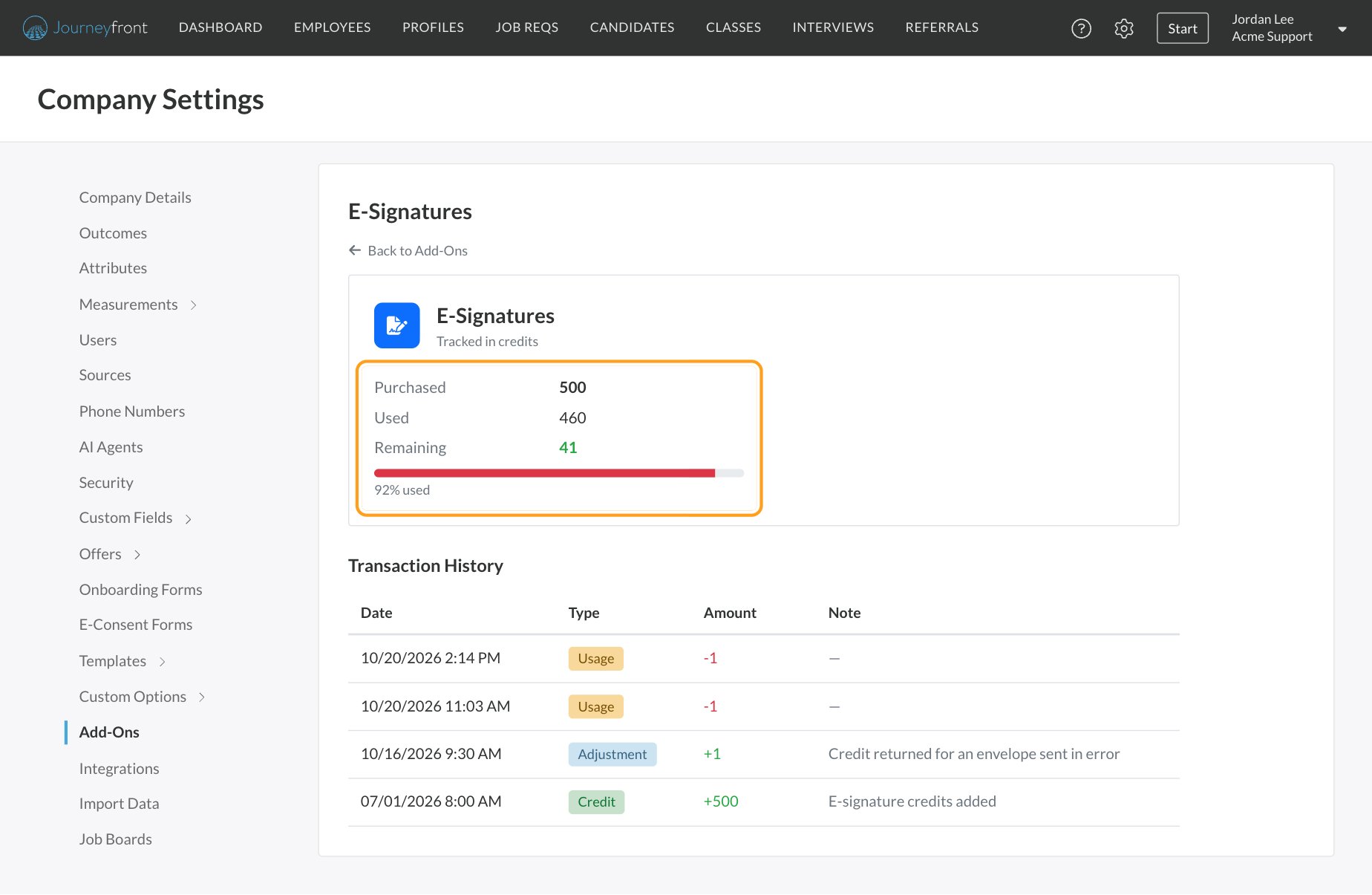
- Purchased, Used and Remaining, with a bar showing the percentage used. The bar turns red once you’ve used 90%.
- Transaction History: every change to your balance, with its Date, Type, Amount and a Note from Journeyfront.
What each add-on covers
Text message credits
Text messaging is tracked in dollars rather than credits. The same balance covers text messages and WhatsApp messages; there’s no separate WhatsApp add-on.- If Journeyfront provides your Twilio account, messages draw from a prepaid messaging balance. You’ll see it on the Text Messages add-on, on the Billing card. Show transactions lists your usage history.
- If you use your own Twilio account or Webex Connect, your provider bills you directly. The Billing card says so, and there’s no Journeyfront balance.
E-signature credits
E-signature credits are used when you send an offer or document for a candidate to sign. An offer letter and all of its supporting documents go to the candidate as one envelope, and you use one credit per envelope, not per document. See E-signatures.AI credits
AI credits are one shared pool that Journeyfront’s AI features draw from, such as AI Agents. On the AI Credits add-on, the Usage section shows:- Credits used over the last 30 days, 90 days or 12 months, as a chart.
- A breakdown By feature, or By agent when only one feature has used credits.
- Download CSV and Download XLS from the chart’s menu.
FAQ
How many credits do we have left?
How many credits do we have left?
Go to Settings, then Add-Ons. Each add-on shows its Remaining balance. Click one for purchased and used totals and the full transaction history.
How do we buy more credits?
How do we buy more credits?
Contact your Customer Success Manager. New credits appear as a Credit in the add-on’s transaction history.
Why does an add-on say Not Activated?
Why does an add-on say Not Activated?
It hasn’t been turned on for your account. Contact your Customer Success Manager to get started.
What happens when we run out of credits?
What happens when we run out of credits?
Contact your Customer Success Manager before your balance runs out so your team isn’t interrupted.
Will we get a warning when credits run low?
Will we get a warning when credits run low?
Keep an eye on the usage bar on each add-on. It turns red once you’ve used 90% of your credits.
Why don't I see a text message balance?
Why don't I see a text message balance?
A balance only appears when Journeyfront provides your Twilio account. If you use your own Twilio account or Webex Connect, your provider bills you directly.
Does an offer with several documents use more than one e-signature credit?
Does an offer with several documents use more than one e-signature credit?
No. The offer letter and all of its documents go to the candidate as one envelope, which uses one credit.
Related
Texting providers
Set up texting and see your messaging balance.
E-signatures
Send offers and documents for signature.
Text messages and WhatsApp
Message candidates one at a time or in bulk.
System requirements
Make sure candidates’ devices are ready.