

Who can do this: Users with the Manage Job Req Settings permission. To see and pick a reward program, you also need View Referrals.Availability: Referrals need to be turned on for your account. Ask your Customer Success Manager.
Set a job req’s reward
1
Open the job req's Configurations
Open the job req, go to the Setup tab, then click Configurations.
2
Choose where it shows
In the Referrals card, set Show on Referral Portals. See the options below.
3
Pick the reward program
Choose a program in Reward Program. Each option shows the program’s name and total, such as “Agent Referral Bonus ($500)”. Choose No Reward Program if referrals to this job req don’t earn a bonus.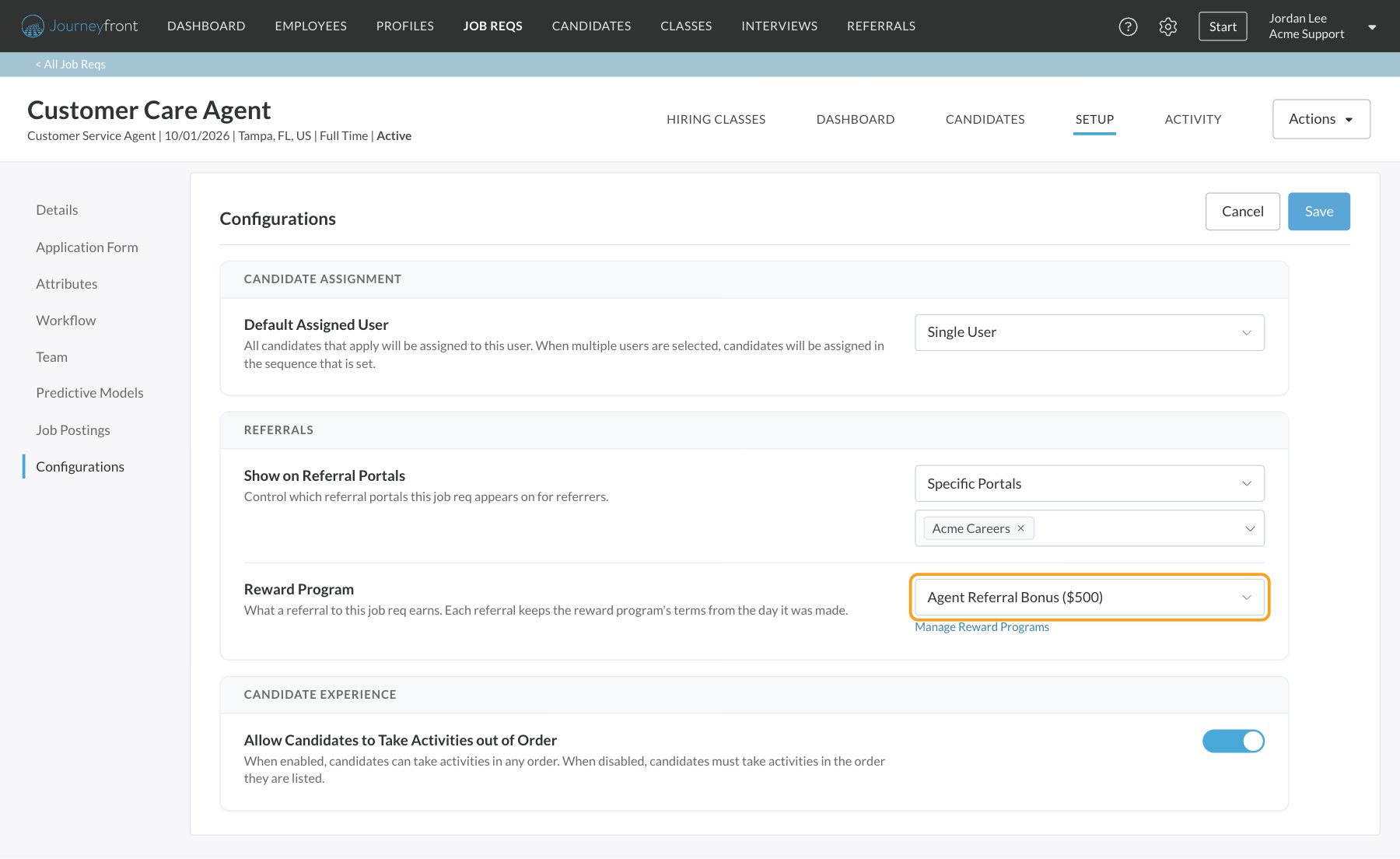
4
Save
Click Save at the top of the page.
Show on Referral Portals
Archived job reqs are never listed on a portal.
Which programs you can pick
- Only Active programs are in the list. Drafts don’t appear until they’re published. See Reward programs.
- A program must cover every portal the job req is posted on. A program for All Referral Portals always fits. A program for specific portals only fits when the job req is posted on some or all of those portals and no others.
- If your role only covers some portals, you only see programs for your portals or for all portals. A job req whose program you can’t manage shows the program’s name, but you can’t change it.
When the program doesn’t fit the portals
If you change the portals so the job req’s program no longer covers them, a message appears under Reward Program and you can’t save until you fix it.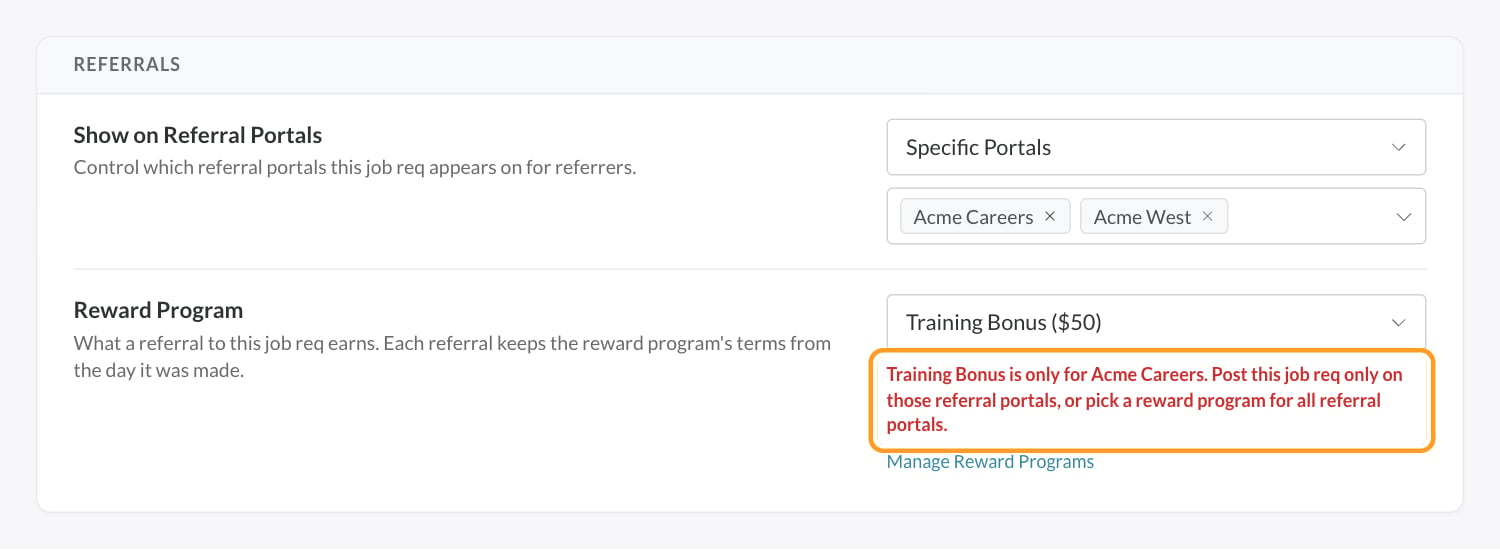
When you change or archive a program
- You pick a different program: new referrals to the job req earn the new program. Referrals made before the change keep the terms they were made under.
- The program is archived: the job req keeps showing it, marked (Archived), but new referrals don’t earn it, and employees no longer see the reward on the portal. Pick an active program to start rewarding referrals again.
- The program’s effective dates end: referrals made after the end date don’t earn it, and the reward stops showing on the portal.
What employees see
When a portal shows rewards, each job req with a reward program displays Earn and the program’s total on the portal’s job list. The job’s page adds a What It Pays card with each installment and when it’s paid.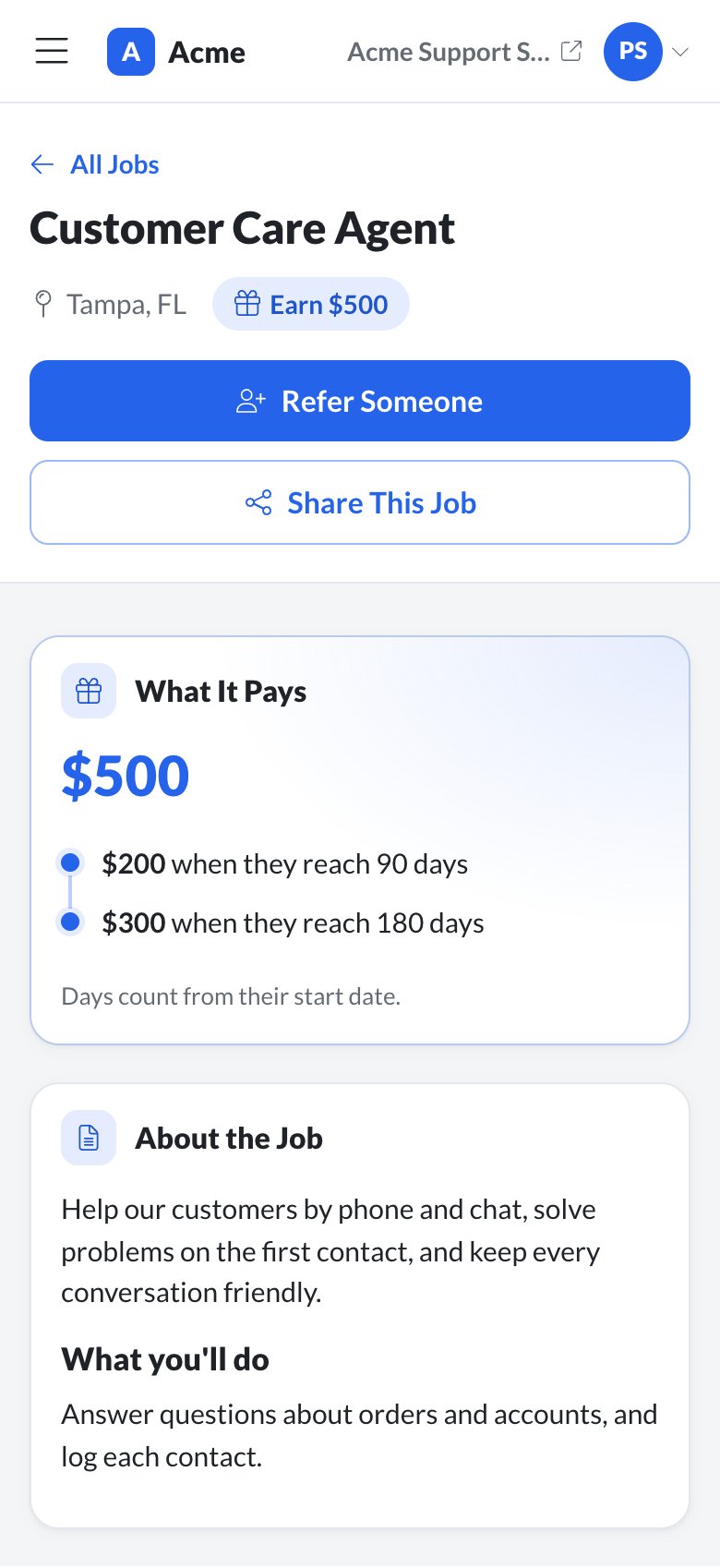
FAQ
Why can't I see the Reward Program setting?
Why can't I see the Reward Program setting?
It only appears when Referrals is turned on for your account and your role has View Referrals.
Why isn't my program in the list?
Why isn't my program in the list?
It’s a draft, it’s archived, or it doesn’t cover every portal this job req is posted on. Publish or restore it, or check its Referral Portals on the Reward Programs tab.
If I change the program, do existing referrals change too?
If I change the program, do existing referrals change too?
No. Each referral keeps the terms from the day it was made. Only new referrals earn the new program.
Can a job req have more than one reward program?
Can a job req have more than one reward program?
No. Each job req has one reward program, or none. To pay differently by region, post the job req on the right portals and use a program for each, or duplicate the job req for each region.
Does a duplicated job req keep its reward program?
Does a duplicated job req keep its reward program?
Yes. When you duplicate a job req, the copy keeps the same reward program and Show on Referral Portals setting, including the specific portals the original was posted on. Check them on the copy’s Configurations page if the new job req is for a different region.
Related
Reward programs
Create the programs you pick here.
Job req settings
Every setting on the Configurations page.
Set up a referral portal
Branding, sign-in and what a portal shows.
How referrals work
The big picture and a setup checklist.