

Who can do this: Admins with Company Settings Access create magic links for job boards. Users with Manage Job Req Settings create them for job postings, and anyone who can open a job req can copy its invitation link with a source. Company-wide source reports need Company Dashboard Access.
Kinds of magic links
Make a magic link
- Job board
- Job posting
- Invitation link
Use this for links to your whole career site.
- Go to Settings, then Job Boards.
-
Click the ⋮ menu next to the board, then Generate Source Link.
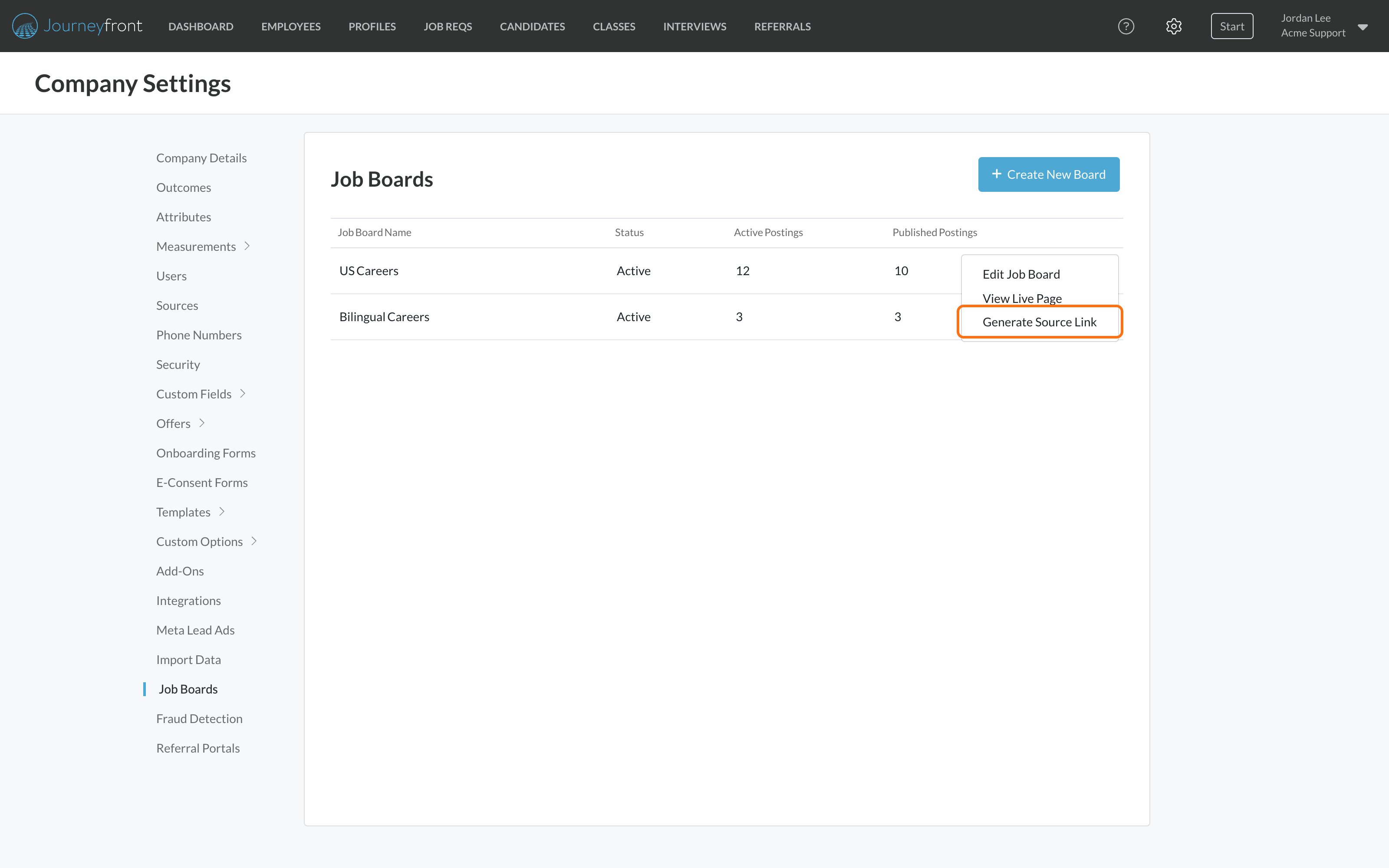
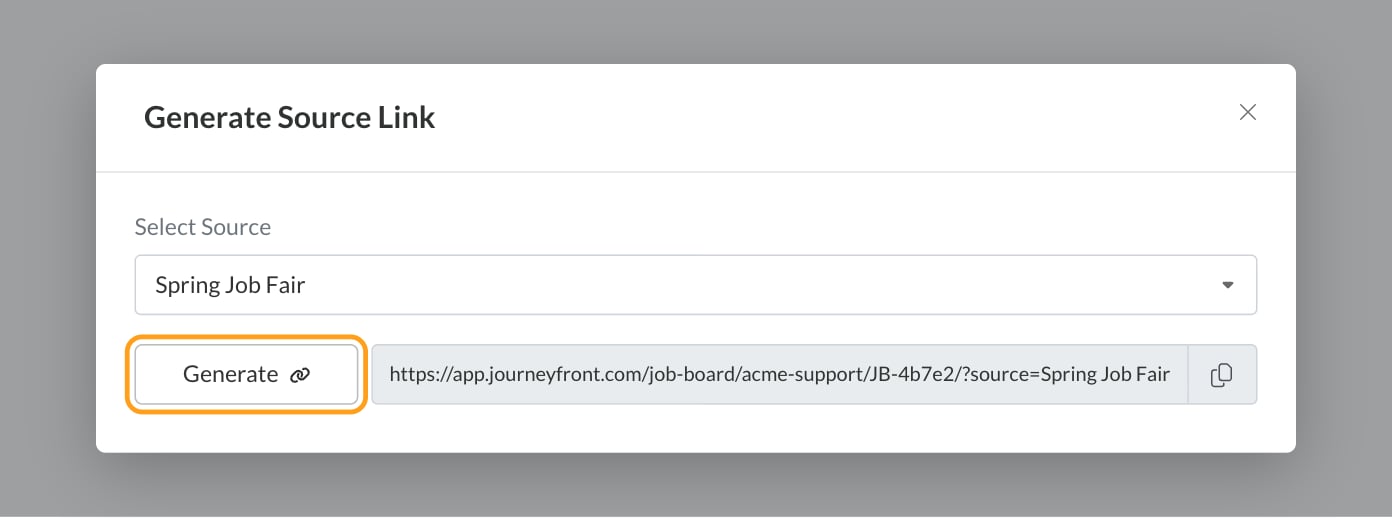
- Choose a source under Select Source and click Generate.
- Click the link to copy it.
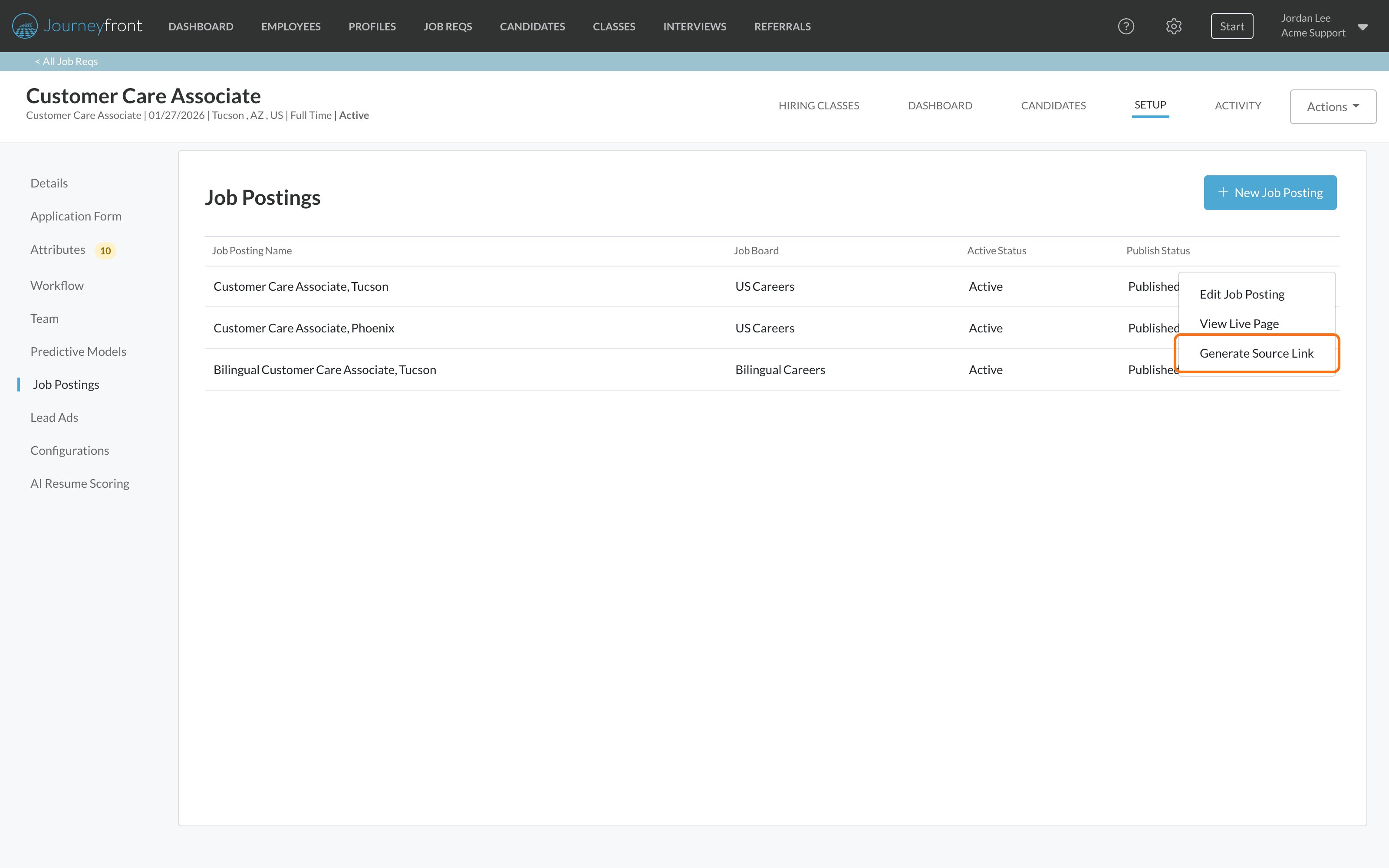
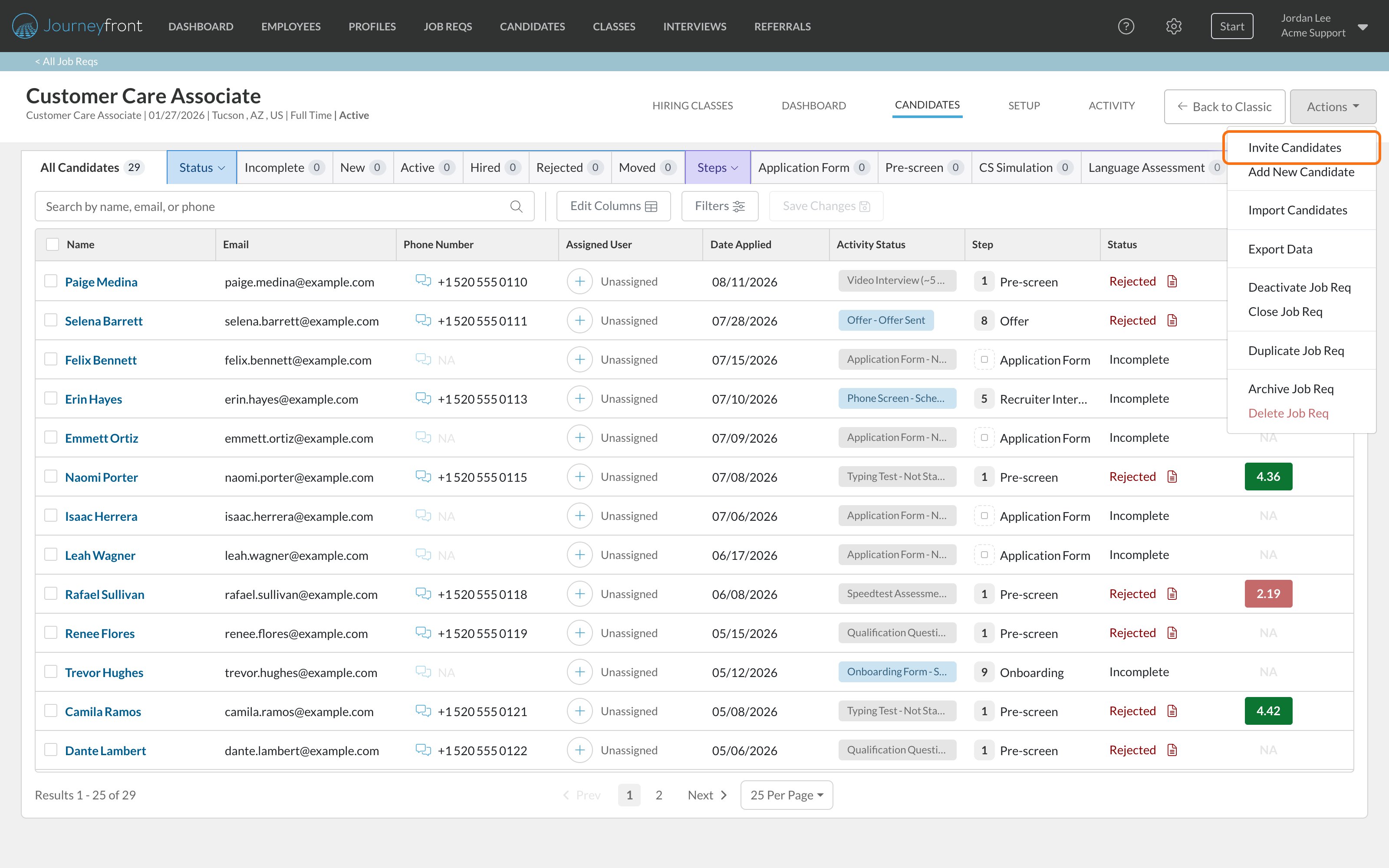
Referral links
Employees get their own magic links on your referral portal: a Personal Link to all your open jobs, and a link for each job they Share. Anyone who applies through an employee’s link is recorded as that employee’s referral, with the portal’s Referral Source (Referral unless you choose another). You don’t make these links yourself; each employee’s portal makes them. See Using the referral portal and Set up a referral portal.Set up a referral portal
Choose the portal’s Referral Source and give employees links to share.
Sources and reporting
A magic link is one of several ways a candidate’s source gets set; integrations, referral portals and imports set it too. To manage your list of sources, see or correct a candidate’s source, and compare which sources bring in hires, see Sources.Sources
Manage your sources, see or correct a candidate’s source, and compare which sources bring in hires.
FAQ
Why do some candidates have no source?
Why do some candidates have no source?
Usually because they applied through a link that isn’t a magic link: the job req’s invitation link copied without choosing a Source, or a plain job board or posting link. Candidates you add by hand also start with no source. Use magic links everywhere you share a job, and set the source yourself when you add someone by hand.
Can candidates change their own source?
Can candidates change their own source?
No. The source comes from the link they used, and only your team can change it on the Candidate Application.
A candidate used a magic link, but no source was recorded. Why?
A candidate used a magic link, but no source was recorded. Why?
The name in the link has to match a source in your account. This happens when the source was renamed or deleted after the link was made, or when the link was cut off or edited. Make a fresh link.
The candidate had already applied before using my magic link. Does the source change?
The candidate had already applied before using my magic link. Does the source change?
No. A magic link only sets the source when the candidate’s application to that job req is created.
Do magic links expire?
Do magic links expire?
No. A magic link keeps working as long as the job board, posting or job req it points to is live and the source keeps its name.
How do I add a new source, like a specific job fair?
How do I add a new source, like a specific job fair?
An admin adds it under Settings, then Sources, with a Source Type. It’s then available when you make links. See Sources.
Can I tell which job posting a candidate applied through?
Can I tell which job posting a candidate applied through?
Yes. The Job Post field on the Details tab of their Candidate Application shows it, alongside the source.
Related
Sources
Add and organize the sources your links use.
Invite candidates
Share a job req’s invitation link by text, email, social or poster.
Dashboards overview
Find the Source Effectiveness dashboard and the rest.
Job req dashboards
Source results for a single job req.