

Who can do this: Users with View Referrals see the dashboard. Payout amounts (the Payouts panel and the Paid, Owed and Per Hire columns) only show for users who also have Manage Referral Payouts. Users without All Referral Portals Access only see the referral portals they’re an admin of.Availability: Referrals need to be turned on for your account. Ask your Customer Success Manager.
Choose what to look at
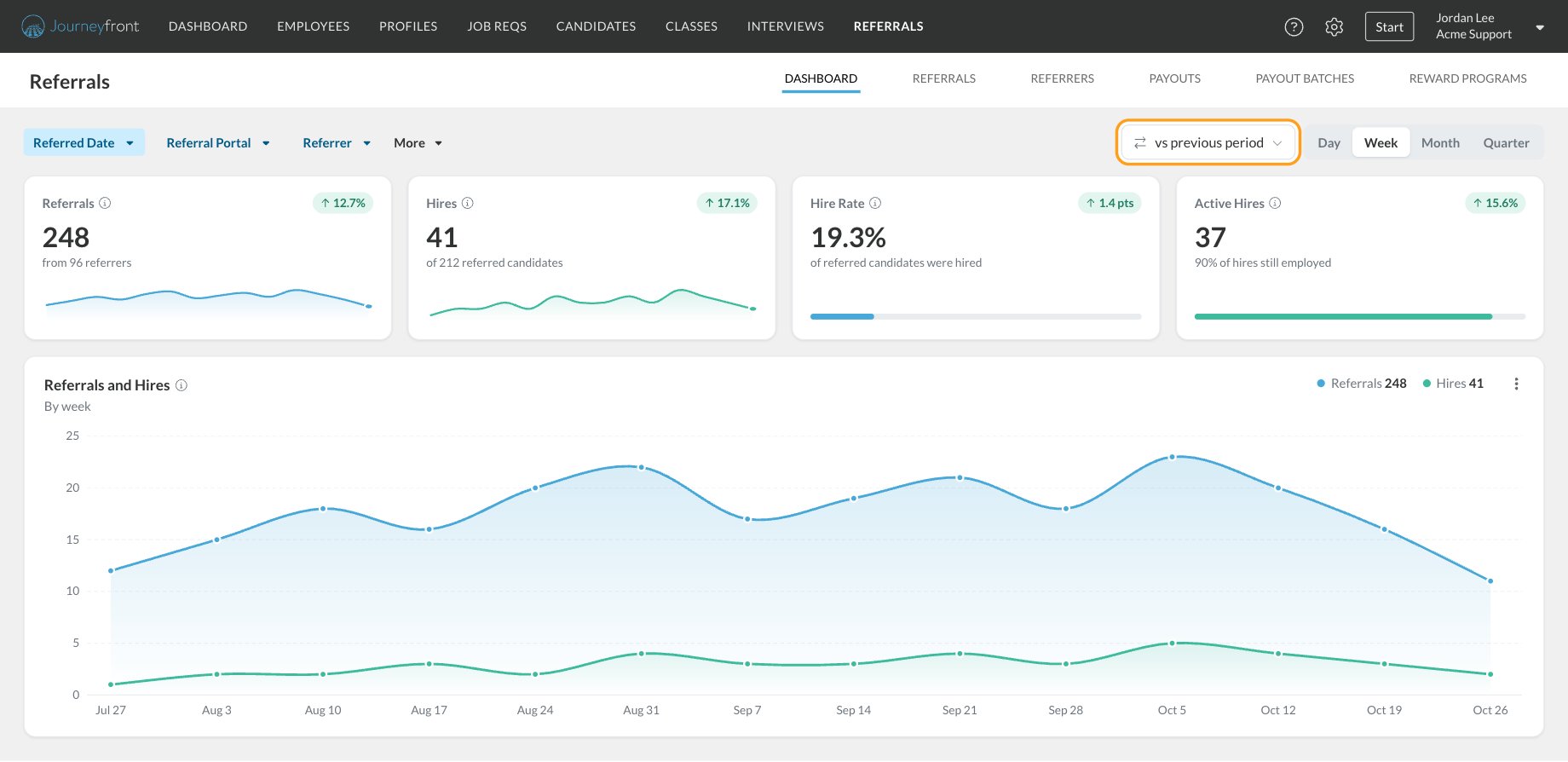
The page address keeps your filters and choices, so you can bookmark a view or send the link to a teammate and they’ll see the same thing (for the portals they can access).
Headline cards
Each card shows its change against the comparison period in a small green or red pill (grey when there’s no change). Hover the pill to see the earlier number and its dates. Hover the info icon on any card or panel to see exactly how it counts.
Referrals and Hires
A line chart of referrals by the day they were made and hires by the day of the hire, grouped by day, week, month or quarter. The totals for the range sit next to the legend. Hover the chart to see each period’s numbers. The hires line counts hires that happened in the range, for referrals made at any time, so it can differ from the Hires card.Referral Funnel
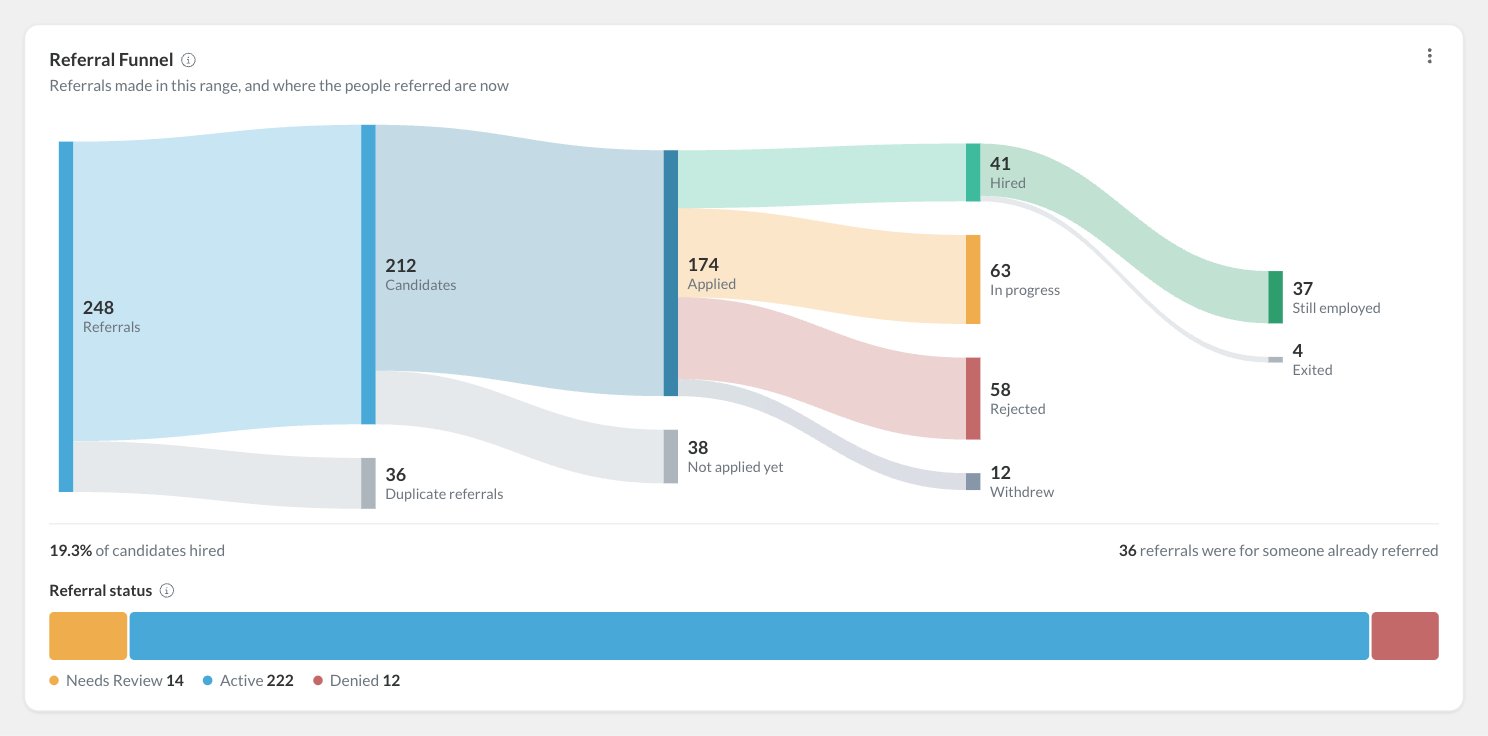
- Referrals, split into the Candidates they were for and Duplicate referrals (a person referred more than once counts once).
- Whether each candidate Applied or has Not applied yet.
- How far each person got, using their furthest application: Hired, In progress, Rejected or Withdrew.
- Whether each hire is Still employed or has Exited.
Payouts
This panel only shows for users with Manage Referral Payouts.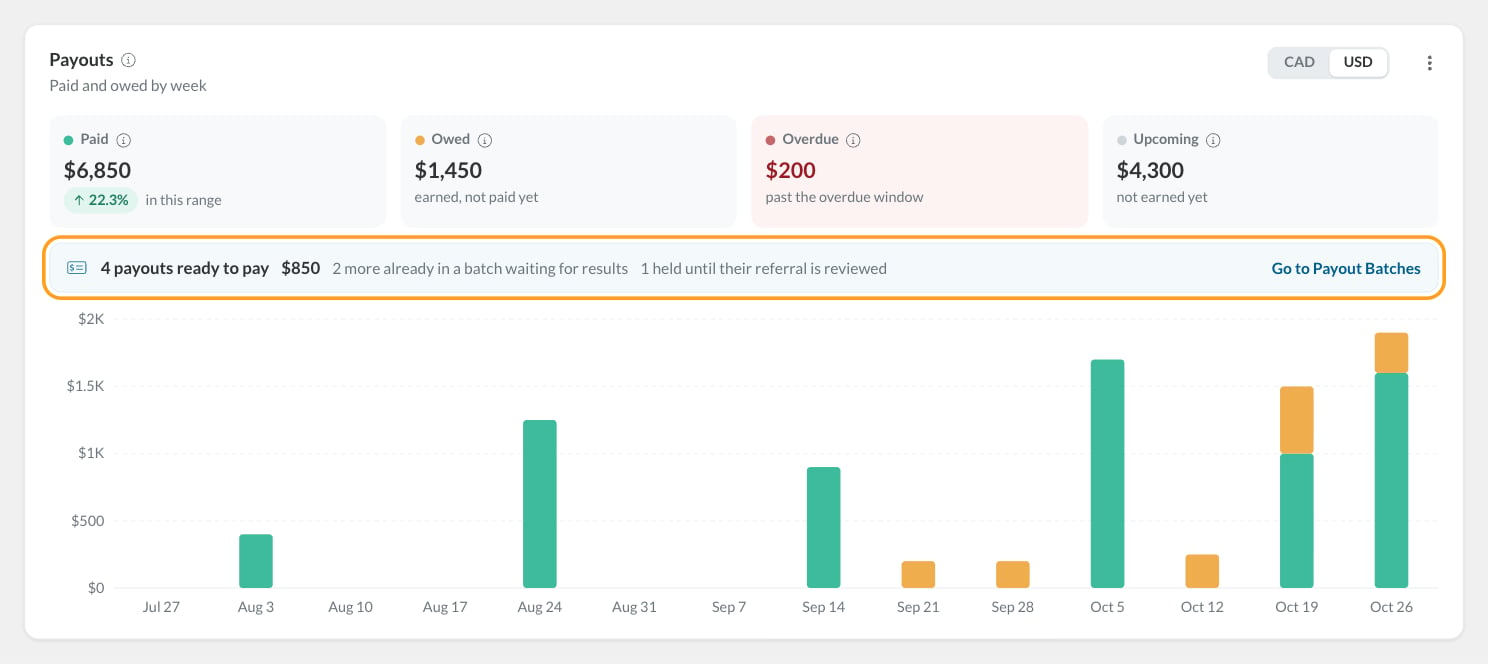
Under the tiles, a strip shows what a payout batch would pick up today: how many payouts are ready to pay and their total, how many are already in a batch waiting for results, and how many are held until their referral is reviewed. Click Go to Payout Batches to act on it.
The chart stacks what was paid (by the date payroll paid it) and what’s still owed (by the date it was earned) for each period. If you pay rewards in more than one currency, use the currency buttons at the top of the panel. Amounts in different currencies are never added together.
Reward Programs
A table of the range’s referrals grouped by the reward program they were made under (the program on the job req at the time), with each program’s Referrals, Hires and Hire Rate. Archived programs are marked Archived. With Manage Referral Payouts, the table also shows Paid, Owed and Per Hire: everything paid, owed and still to come for those referrals, divided by their hires.Top Referrers and Top Job Reqs
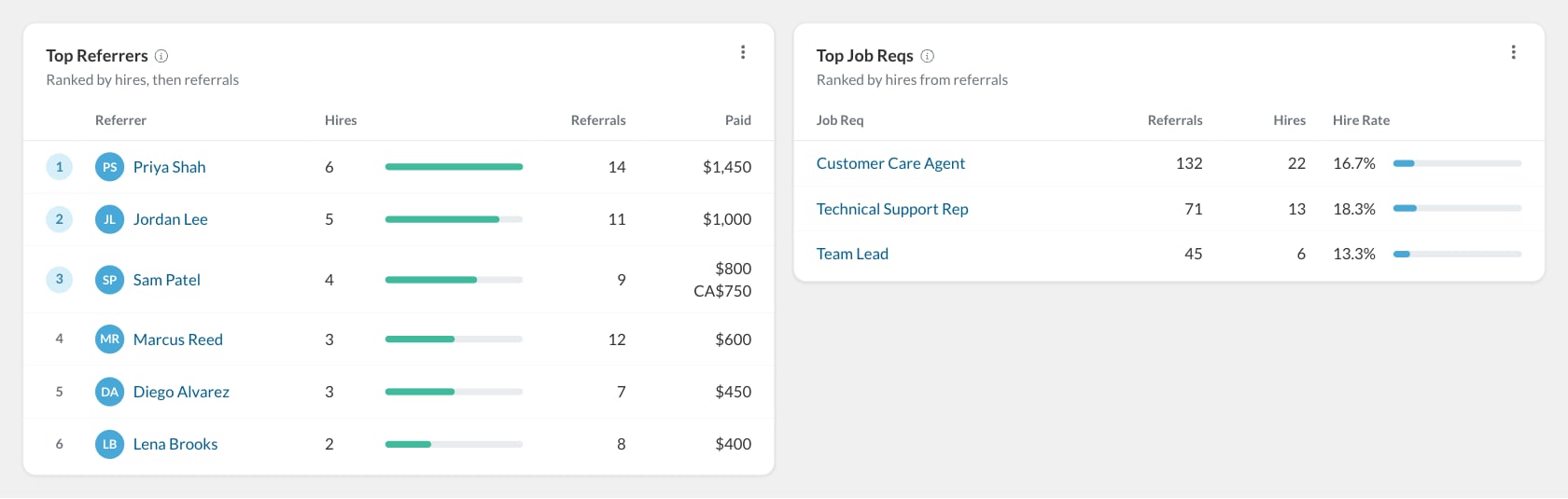
- Click a referrer’s name to narrow the whole dashboard to just them.
- Hover the row and click the open icon to open the referrer’s details.
Download a chart or table
Click the menu at the top right of a panel:- Download PNG saves the chart as an image (Referral Funnel, Referrals and Hires, Payouts).
- Download CSV saves the numbers behind any panel.
FAQ
Why doesn't the Hires card match the Hires line on the chart?
Why doesn't the Hires card match the Hires line on the chart?
The card counts people referred in the range who were hired, whenever they were hired. The chart counts hires that happened in the range, for referrals made at any time.
Why don't I see the Payouts panel or any amounts?
Why don't I see the Payouts panel or any amounts?
Amounts are only shown to users with Manage Referral Payouts. Ask an admin to add it to your security role. See Permissions and portal admins.
Why is someone referred twice only counted once?
Why is someone referred twice only counted once?
The dashboard measures people, not referral forms. Extra referrals for the same person show as Duplicate referrals in the funnel.
How far back can I look?
How far back can I look?
Up to three years in one range.
Why can't I pick Day?
Why can't I pick Day?
Daily grouping is only available for ranges of about three months or less. Pick Week or Month for longer ranges.
Related
The Referrals page
Work through individual referrals.
Payouts
See every installment and its status.
Payout batches
Send what’s owed to payroll.
Reward programs
Set what referrals earn.