

Who can do this: The company Screening Questions and Funnel Analytics dashboards need Company Dashboard Access. A job req’s Funnel Analytics tab needs access to that job req.
- Screening Questions looks at the answers: how often each answer is given, how many people with each answer were hired, and how those hires did.
- The Screening Question Fallout sheet on Funnel Analytics looks at the questions themselves: where candidates stop answering and how long each question takes.
The Screening Questions dashboard
Click Dashboard in the top navigation and choose Screening Questions. Pick a question in the Question control first; the charts show the answers to that one question. Like every company dashboard, it covers every job req in your account, so use the Job Profile and Job Req controls to focus. Other controls include Application Date, Hiring Class, Source Type and Source.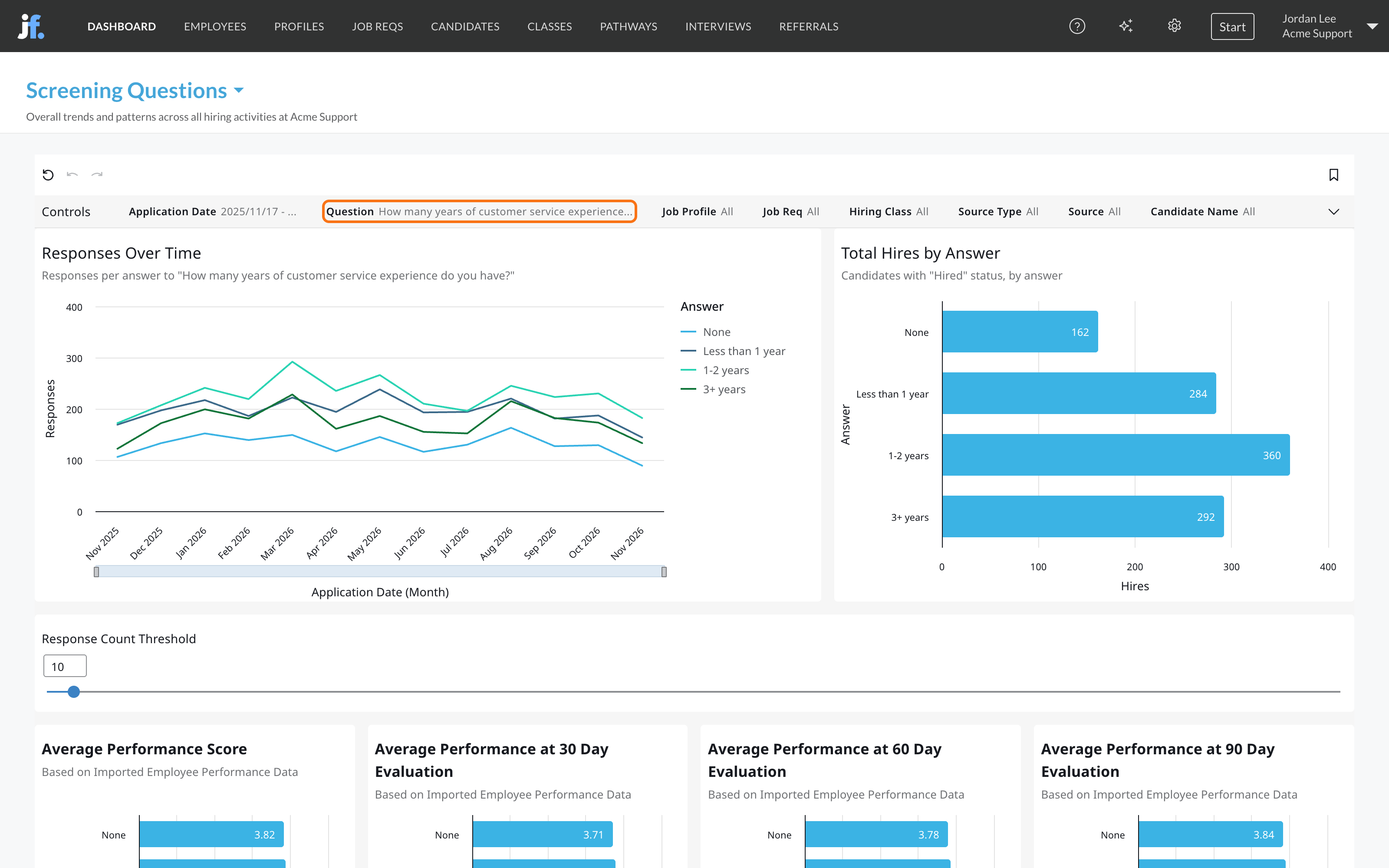
Tables at the bottom list details for each question and each candidate’s response.
Screening Question Fallout
On Funnel Analytics, open the Screening Question Fallout sheet. On the company dashboard, pick a job req first; or open a job req’s Dashboard tab, then Funnel Analytics. See Funnel and drop-off.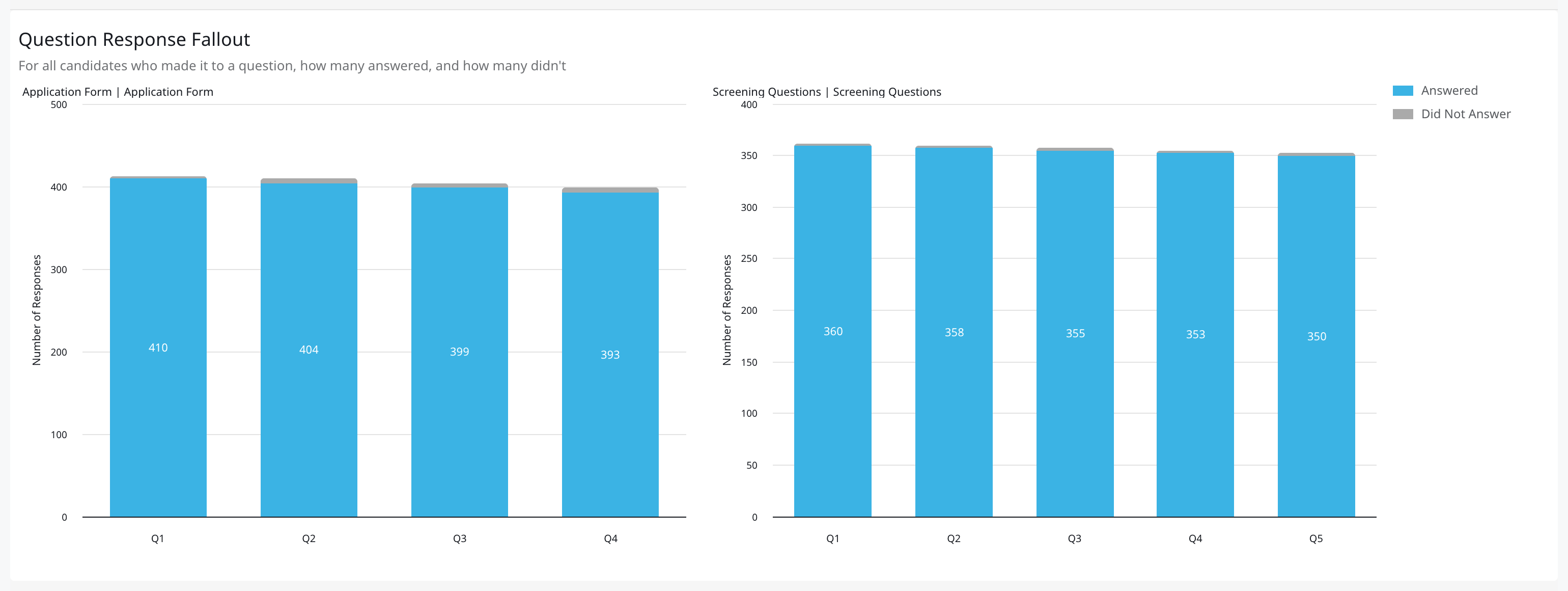
How teams use it
- Find the question people quit at. A question where the not-answered column jumps, or the response time is much longer than the rest, is confusing or asks for too much. Reword it or move it later.
- Test your knockouts. If hires with an answer you screen out would have performed as well as everyone else, the knockout is costing you candidates. Check Average Performance Score and tenure by answer before you make a question disqualifying.
- Keep what predicts. An answer that goes with more hires, better ratings or longer tenure is worth weighting in your scoring. An answer that makes no difference may not be worth asking.
Related
Screening questions
Write and score the questions.
Funnel and drop-off
Where candidates leave the rest of your process.
Quality of hire
Where performance and tenure data comes from.
Dashboards overview
Where dashboards live and how to filter them.