

Who can do this: Users with Company Dashboard Access.
Recruiter Effectiveness and Recruiter Outcomes use whoever is assigned to the candidate now. If you reassign or unassign a candidate, their results move with them right away, including past hires.
Recruiter Productivity sheet
Each metric has a total per user on the left and a monthly line per user on the right.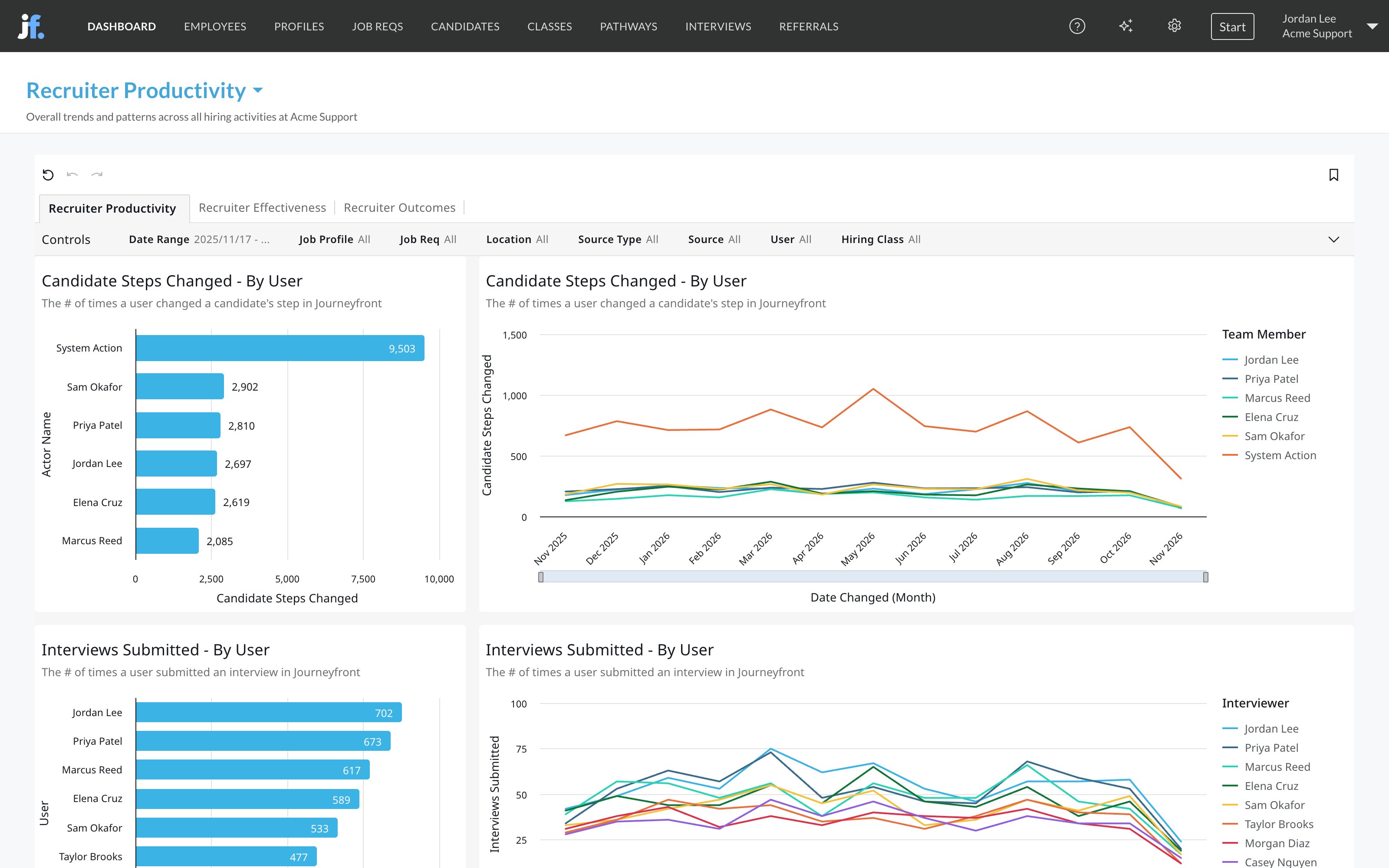
Recruiter Effectiveness sheet
Each metric has a bar per assigned user and a line by application quarter.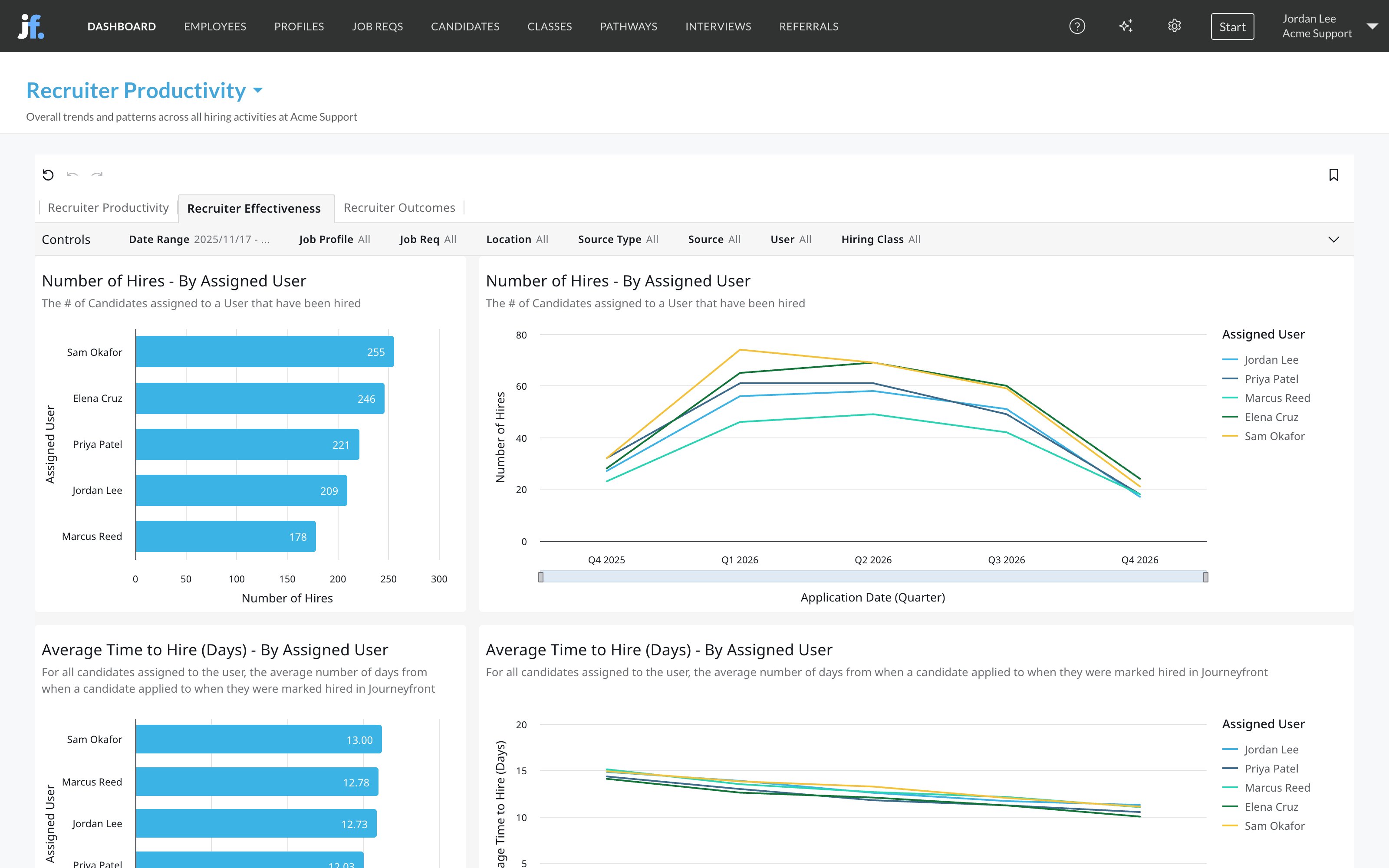
Recruiter Outcomes sheet
This sheet needs employee data for your hires, such as start and end dates. See Quality of hire. It adds a Minimum Hires control, so you can leave out users with only a few hires.- Average New Hire Tenure - By Assigned User: total days employed divided by the number of hires, for each user’s hires.
- New Hire Outcomes - By Assigned User: a table of each hire with their position, job req, hire date, start date, end date, tenure in days and average overall performance.
How teams use it
- Read activity next to results. Lots of steps changed with few hires can mean a high-volume role, or busywork. Compare Recruiter Productivity with Recruiter Effectiveness before drawing conclusions.
- Check rejection habits. In Candidates Rejected - By Rejection Reason & User, a user who leans on one reason far more than their peers may need a refresher on your reasons.
- Book interviews for the right length. Median Interview Completion Time (Minutes) - By Interviewer shows how long each guide really takes, so you can size interview slots.
- Reward hires who stay. Recruiter Outcomes shows whose hires last, which is a better measure than hires alone.
Related
Time to hire
How long hiring takes, including by assigned user.
Interview analytics
Interview scores and interviewer calibration.
Quality of hire
Where outcome data comes from.
Dashboards overview
Where dashboards live and how to filter them.