

Who can do this: The company Hiring Process Fidelity dashboard needs Company Dashboard Access. A job req’s Hiring Process Fidelity tab needs access to that job req.
Company-wide
Click Dashboard in the top navigation and choose Hiring Process Fidelity. It shows hires on every job req in your account; use the Job Profile, Location and Job Req controls to focus. The date control is the hire’s Employee Start Date, and other controls include Job Status, Hiring Class, Source Type, Source, Activity Name and Assigned User.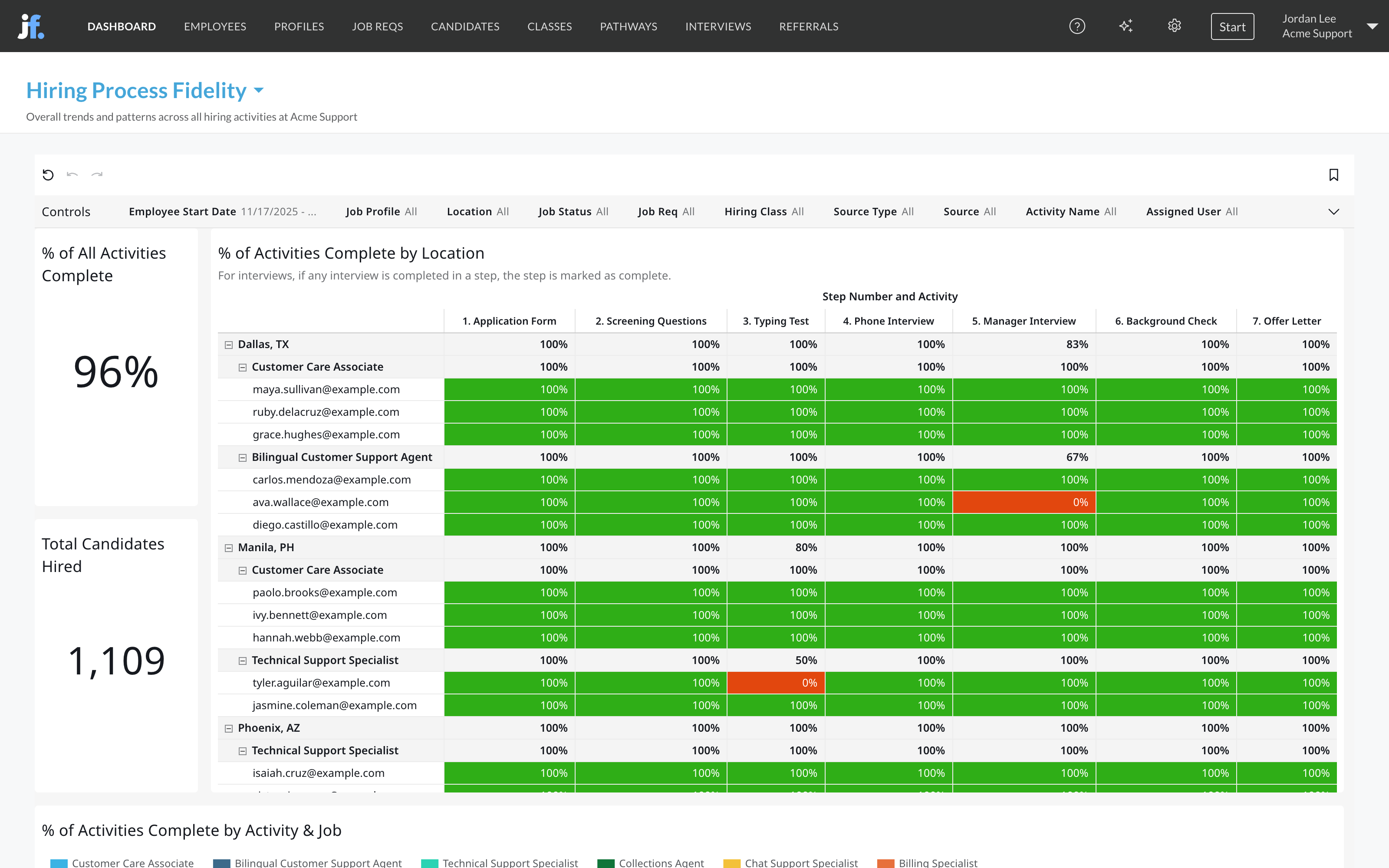
For one job req
Open the job req, click its Dashboard tab, then Hiring Process Fidelity. It shows the number of hires and the share of activities they completed for that job req alone, broken down by activity and over time.How teams use it
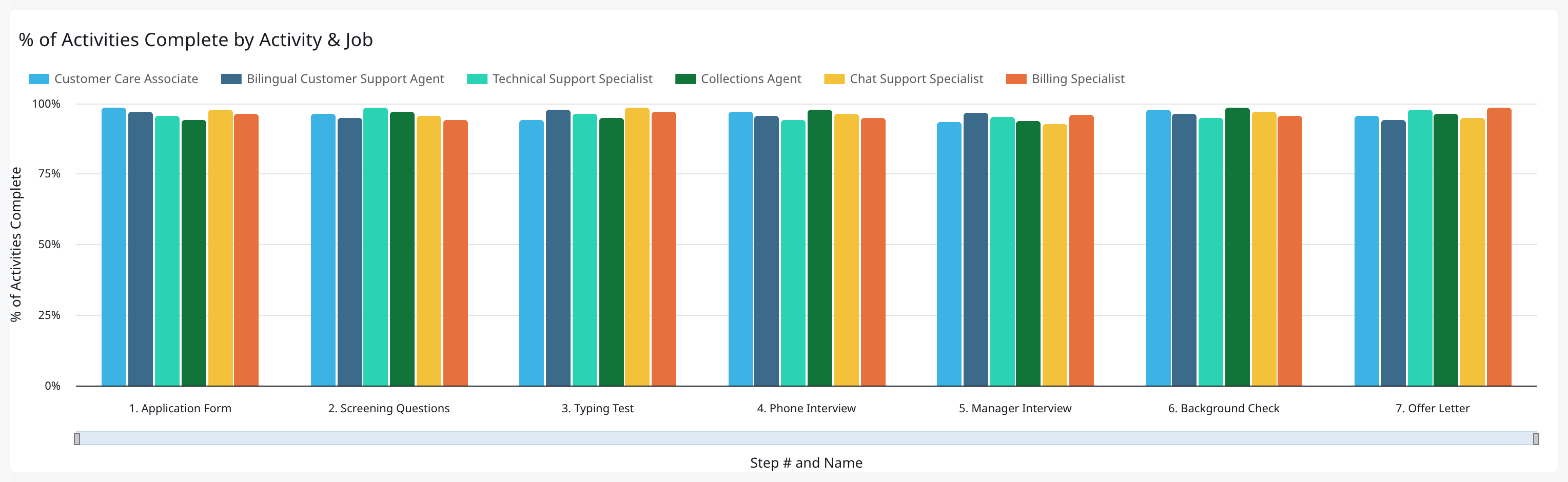
- Find the skipped activity. Look at % of Activities Complete by Activity & Job for the activity that’s low across jobs. That’s usually a process problem, like an interview that’s hard to schedule, not one person cutting corners.
- Audit a site. Filter Location and use the table to see exactly which hires skipped what. Share it with the site’s leader.
- Watch after a change. When you add or move an activity, watch % of Activities Complete Based on Start Date for the next few months to confirm teams are following it.
- Pair it with quality of hire. If hires who skipped an assessment leave sooner, you have a strong case to enforce it. See Quality of hire.
FAQ
Why is a hire's score low when they finished every step they were in?
Why is a hire's score low when they finished every step they were in?
The score counts every activity in the workflow, including steps the hire never reached. If someone was moved past a step, its activities count as not completed.
Why does the dashboard filter on start date?
Why does the dashboard filter on start date?
It looks at people you hired, so it uses the date they started, not the date they applied.
Related
Funnel and drop-off
Activity status for every candidate, not just hires.
Automation rules
Move candidates through steps consistently.
Recruiter productivity
What each recruiter is doing.
Dashboards overview
Where dashboards live and how to filter them.