

Who can do this: The company Interview Overview dashboard needs Company Dashboard Access. A job req’s Interviews tab needs access to that job req. A job profile’s Interviewers and Interview Questions tabs need access to that job profile; seeing the employees behind their charts also needs Performance Access.
Company-wide
Click Dashboard in the top navigation and choose Interview Overview. It shows every job req in your account; use the Job Profile and Job Req controls to focus. Other controls include Application Date, Interview Date, Hiring Class, Candidate Status, Interview Guide and Interviewer Name.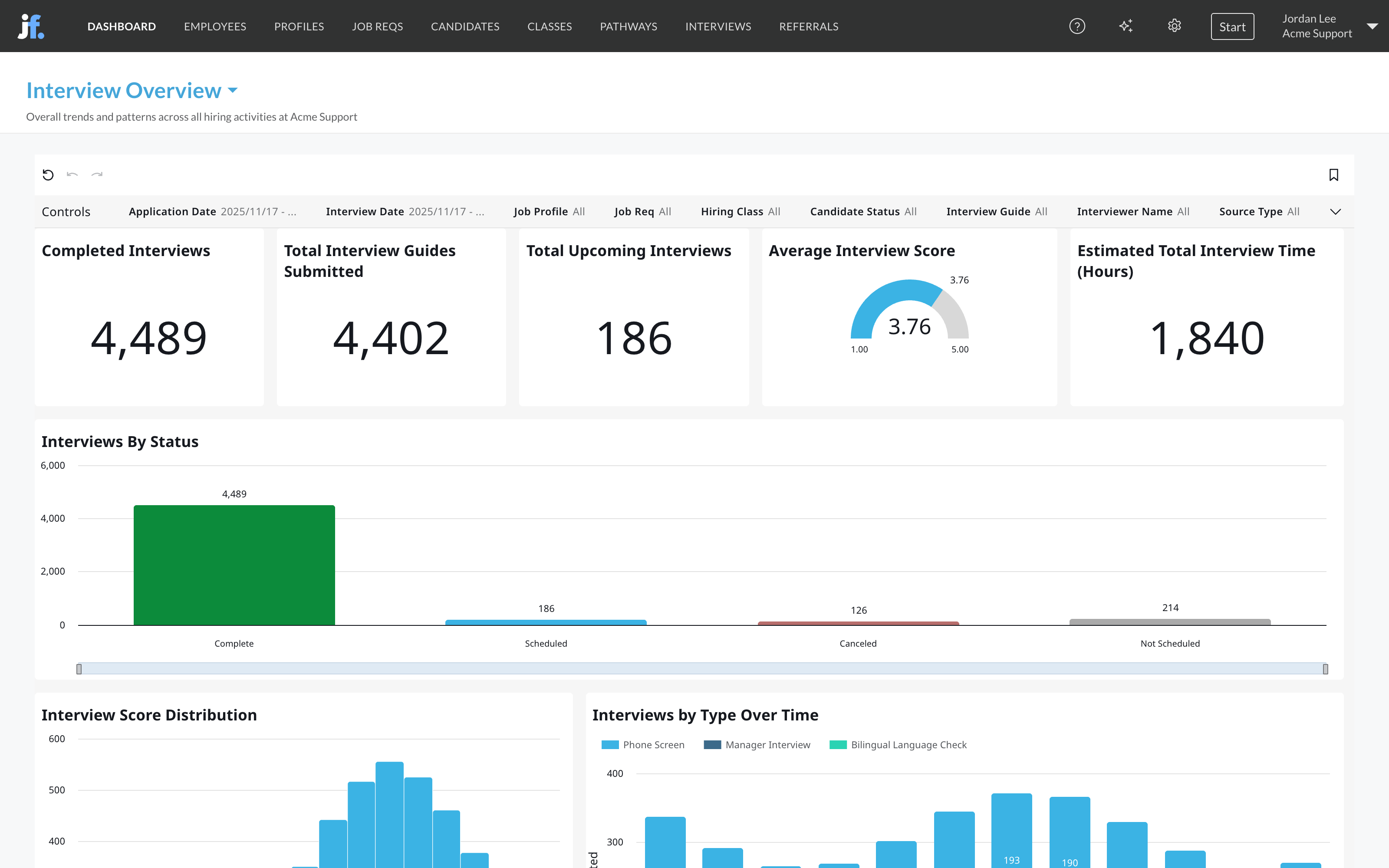
Volume and workload
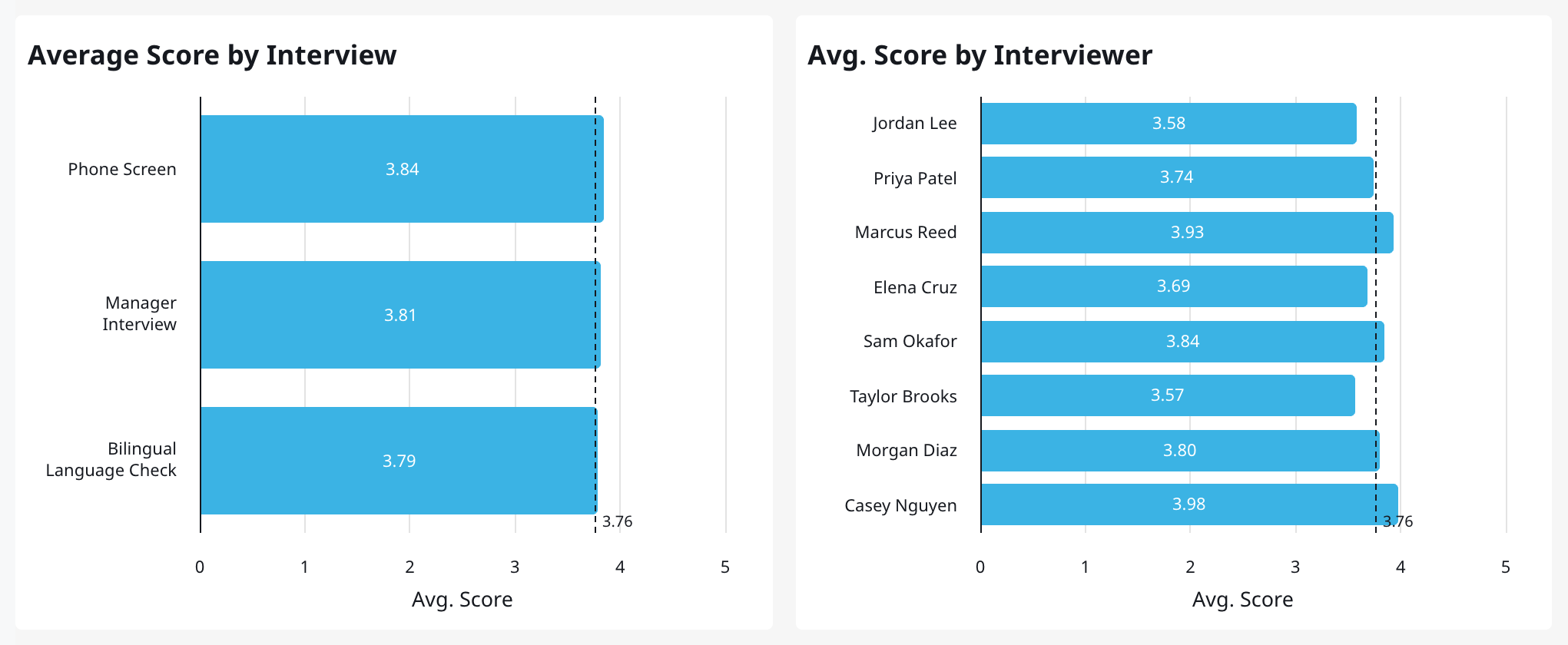
Scores and calibration
Interview detail tables
At the bottom, Interviewer Activity by Interviewer lists every interview. Interviewer Effort - By Step and Interviewer Effort By Interviewer group interviews by step, guide, interviewer and candidate status; Interviewer Effort - By Step includes a link to each scorecard.For one job req
Open the job req, click its Dashboard tab, then Interviews. It shows the same kinds of numbers for that job req: completed and upcoming interviews, guides submitted, the average interview score and estimated interview time, interviews by status, the score distribution and trends over time, average score by interview guide, and interviews completed by each interviewer.Interviewer accuracy and interview questions
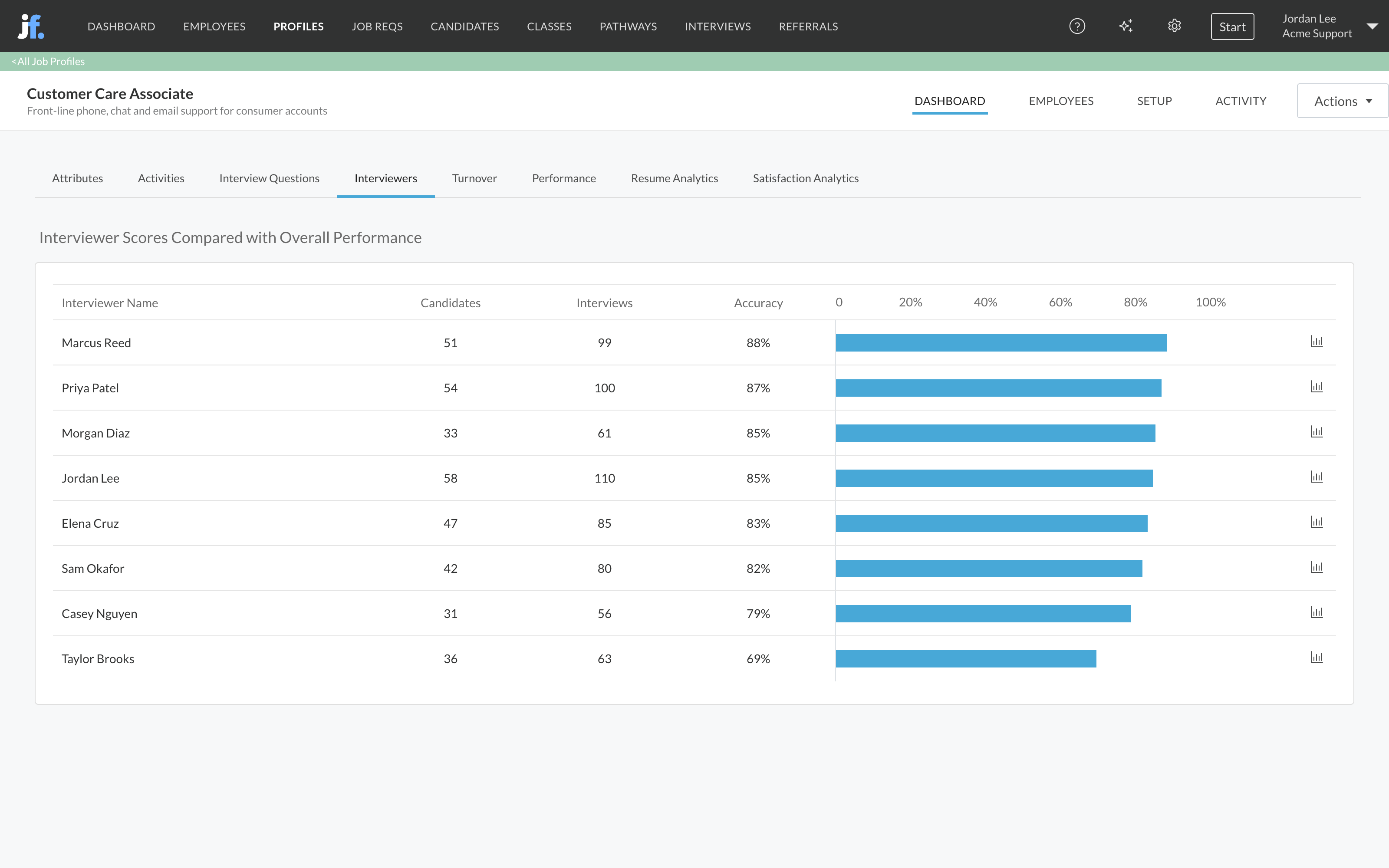
Calibration tells you whether interviewers agree with each other. Accuracy tells you whether they’re right. On a job profile’s Dashboard tab, two views compare interview scores with how the people you hired went on to perform. They need performance data for your employees. See Quality of hire.- Interviewers: each interviewer’s Accuracy, which is how closely their interview scores matched the hire’s later performance. 100% means their scores predicted performance exactly. Click the chart icon on a row to see each hire’s interview score next to their performance.
- Interview Questions: which interview questions’ scores go with better performance or retention, using the same correlation table as Attributes.
How teams use it
- Calibrate guides. An interview guide that averages far above or below the rest may have questions that are too easy or too hard. Review its scoring guidance before you change the questions.
- Calibrate interviewers. An interviewer who scores everyone a point higher than their peers isn’t wrong on their own, but their scores can’t be compared with anyone else’s. Pair them with a calibrated interviewer for a few sessions.
- Coach on accuracy. Low Accuracy on a job profile’s Interviewers tab means an interviewer’s scores don’t track how hires perform. That’s a coaching conversation, backed by data.
- Balance the load. Use # of Interviews by Interviewer and Upcoming Interviews to spread interviews before people burn out.
Related
Interview guides
Build the guides and questions interviewers score.
Quality of hire
Interviewers and interview questions against performance.
Recruiter productivity
Interviews submitted and interview time by person.
Dashboards overview
Where dashboards live and how to filter them.