

Who can do this: Journeyfront sets up e-signature for your account. Admins with the Company Settings Access permission can see your e-signature credits.Availability: E-signature is an add-on that uses e-signature credits. To turn it on or buy more credits, ask your Customer Success Manager.
How it’s set up
- No connection screen. E-signature doesn’t appear under Settings, then Integrations. There are no accounts to link and no keys to enter.
- Turned on by Journeyfront. When your account has the E-Signatures add-on, the e-signature options appear when you send an offer. Your Customer Success Manager turns it on and adds your credits.
- Ready for your templates. Once it’s on, any offer letter or document template with signature fields can be signed. See Offer letter and document templates.
Credits
Each signature request uses one e-signature credit. An offer letter and all of its supporting documents go to the candidate as one envelope, so one offer uses one credit, however many documents it has. To see your balance, go to Settings, then Add-Ons, then E-Signatures. It shows what you’ve purchased, used and have left, with the full transaction history. See Add-ons and credits.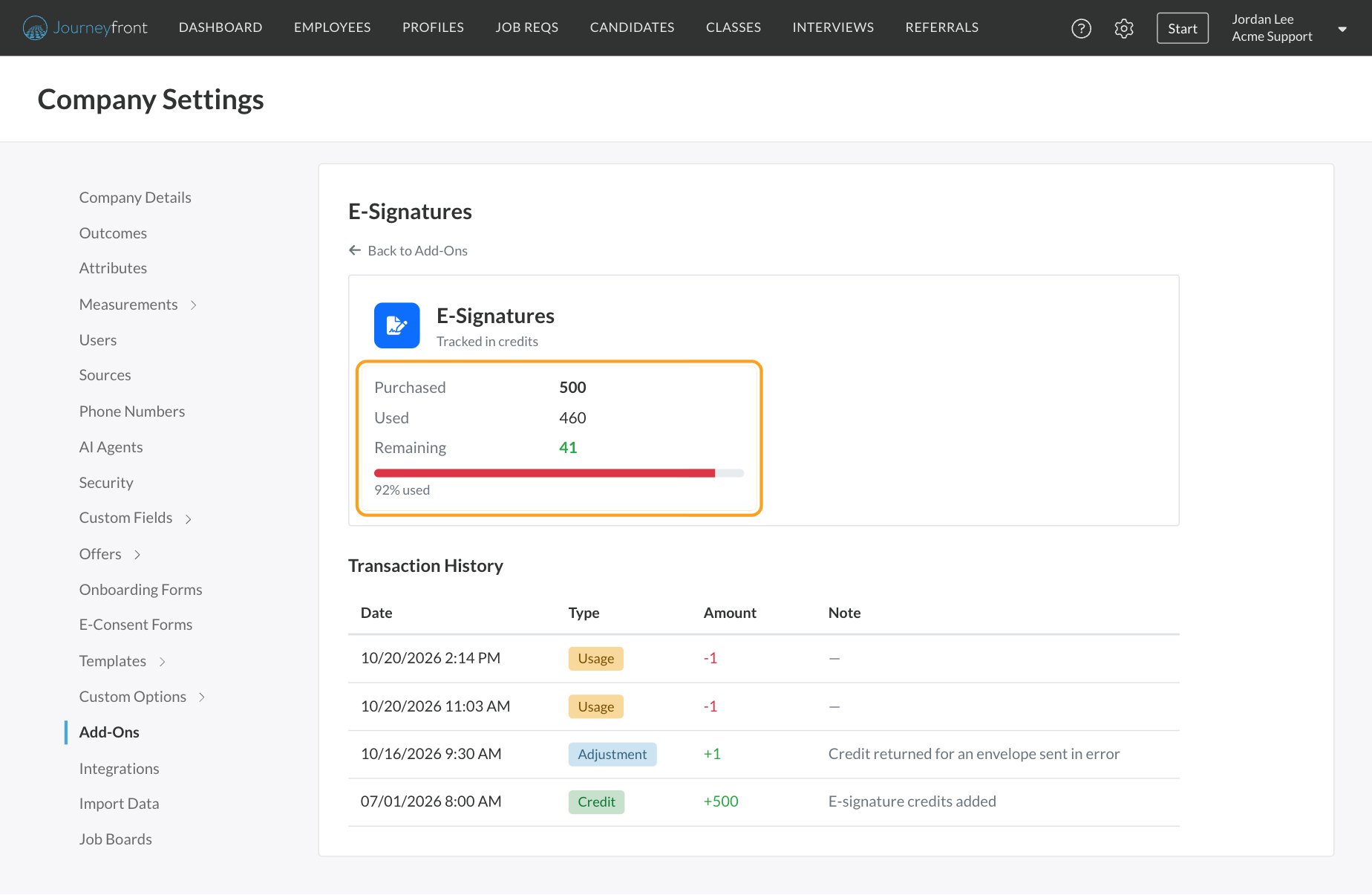
Sending offers for signature
Everything about sending, tracking and reminding signers is covered in the Offers section:- E-signatures: signing options, signer statuses, reminders and what candidates see.
- Send an offer: one candidate’s offer, from terms to signature.
- Send offers in bulk: a whole group at once.
FAQ
How do I connect our e-signature account?
How do I connect our e-signature account?
You don’t need to. Journeyfront provides e-signature as an add-on and sets it up for you. Ask your Customer Success Manager to turn it on.
Why don't I see e-signature options when I send an offer?
Why don't I see e-signature options when I send an offer?
Your account doesn’t have the E-Signatures add-on, or it has no credits left. Check Settings, then Add-Ons, or ask your Customer Success Manager.
Can I use offers without e-signature?
Can I use offers without e-signature?
Yes. Generate or upload the documents, share them however you like, and record the candidate’s answer with Accept or Decline. See Send an offer.
Do e-consent forms use e-signature credits?
Do e-consent forms use e-signature credits?
No. E-consent forms are signed inside Journeyfront and don’t use e-signature credits. See E-consent forms.
Related
E-signatures
Send, track and remind signers.
Add-ons and credits
Your e-signature balance and history.
Offer letter and document templates
Add signature fields to your templates.
Integrations overview
Everything Journeyfront connects to.