

Who can do this: Users with the Manage Job Req Settings permission.
Open the application form
Open the job req and go to Setup, then Application Form. The Form Fields table lists every field on the form, with a Hidden, Optional and Required choice for each.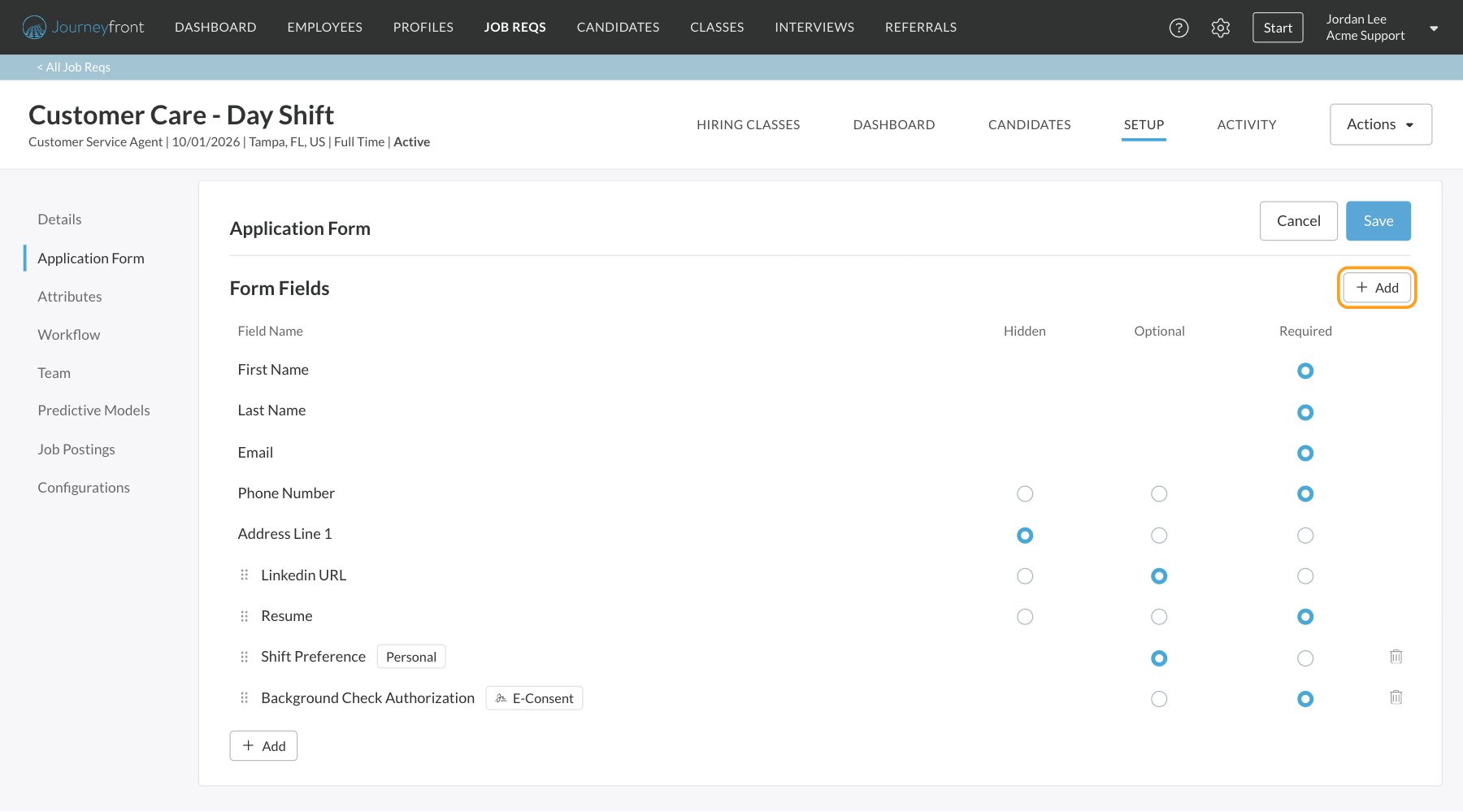
- Required: candidates must fill it in before they can submit.
- Optional: candidates see it and can skip it.
- Hidden: candidates don’t see it.
The built-in fields
Older job reqs may have different starting choices. Change any of them to suit the role.
Add your own fields
Add the custom fields your account has set up. Create them first under Settings, then Custom Fields. See Custom fields.1
Click Add
Click Add, then Add Field.
2
Pick a field
Search or scroll the list. It’s grouped into Personal Fields and Application Fields, and shows each field’s type. Fields already on the form are marked Added.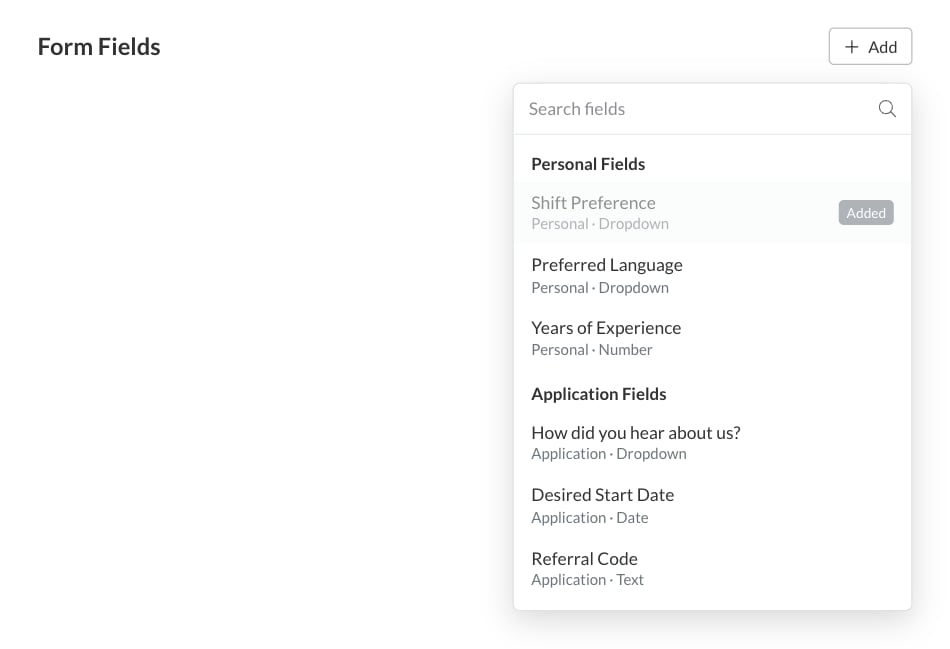
3
Set it up and save
The field is added as Optional. Change it to Required if you need it, then click Save at the top of the page.
- Personal: about the person. The answer is saved on their Candidate Profile and shared across all their applications.
- Application: about this application. The answer is saved on this Candidate Application only.
Add an e-consent form
To have candidates sign a consent form as part of applying, click Add, then Add E-Consent Form, and pick the form. It’s added as Required and tagged E-Consent. See E-consent forms.Change the order
Contact and address fields always come first, in a fixed order. Drag any other row by its handle to move it, for example to put a custom question above the resume upload. Click Save when you’re done. Save and Cancel appear at the top of the page as soon as you change something. Cancel puts the form back to how it was last saved.What candidates see
Candidates fill in the form as their Personal Profile, the first part of their application. Required fields must be filled in, and required consent forms signed, before they can continue. Your team sees the answers on the Details tab of the Candidate Application. Answers to personal fields also appear on the Candidate Profile.FAQ
Do application form answers affect a candidate's score?
Do application form answers affect a candidate's score?
No. The application form only collects information. Use screening questions for anything you want to score or screen on.
How do I require a resume?
How do I require a resume?
Set the Resume row to Required and click Save. Do the same with Linkedin URL to require a LinkedIn profile.
Can I make First Name, Last Name or Email optional?
Can I make First Name, Last Name or Email optional?
No. Every candidate needs a name and an email address, so these three are always required.
Why can't I find my custom field in the list?
Why can't I find my custom field in the list?
Check it was created as a personal or application field under Settings, then Custom Fields. Other kinds of custom fields, and user fields, aren’t offered on the application form.
Do I have to set up the form again for every job req?
Do I have to set up the form again for every job req?
Each job req has its own form. When you duplicate a job req, the copy keeps the original’s application form.
Related
Custom fields
Create personal and application fields for your account.
E-consent forms
Consent forms candidates sign as they apply.
Screening questions
Questions that screen and score candidates.
Create a job req
Set up a new job req from start to finish.