

Who can do this: Everyone on your hiring team can open a Candidate Profile. You can open the Candidate Applications on job reqs you have access to; the others show greyed out.
The difference at a glance
Changes to the person, like a new phone number, show on every one of their Candidate Applications. Changes to one application, like a step change or an application field, stay with that application.
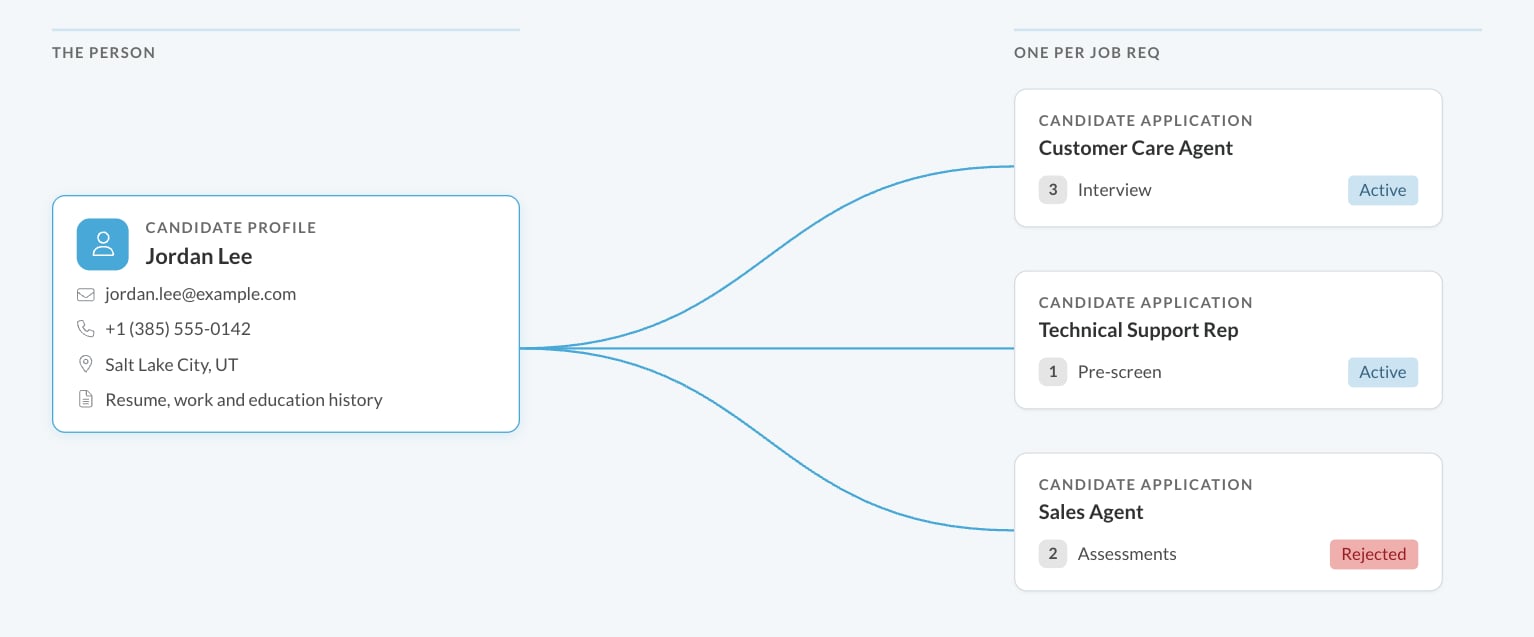
Open a Candidate Profile
From any Candidate Application, click the Currently Viewing dropdown at the top and choose Candidate Profile. The same dropdown lists all of the person’s applications and jobs, so you can jump between them. You can also reach a Candidate Profile from the link in a Do Not Hire match banner. See Do Not Hire.What’s on the Candidate Profile
The header shows the person’s name, contact details and location, the Currently Viewing dropdown and the Created Date of their record. The Actions menu has Add to Job Req and Mark Do Not Hire.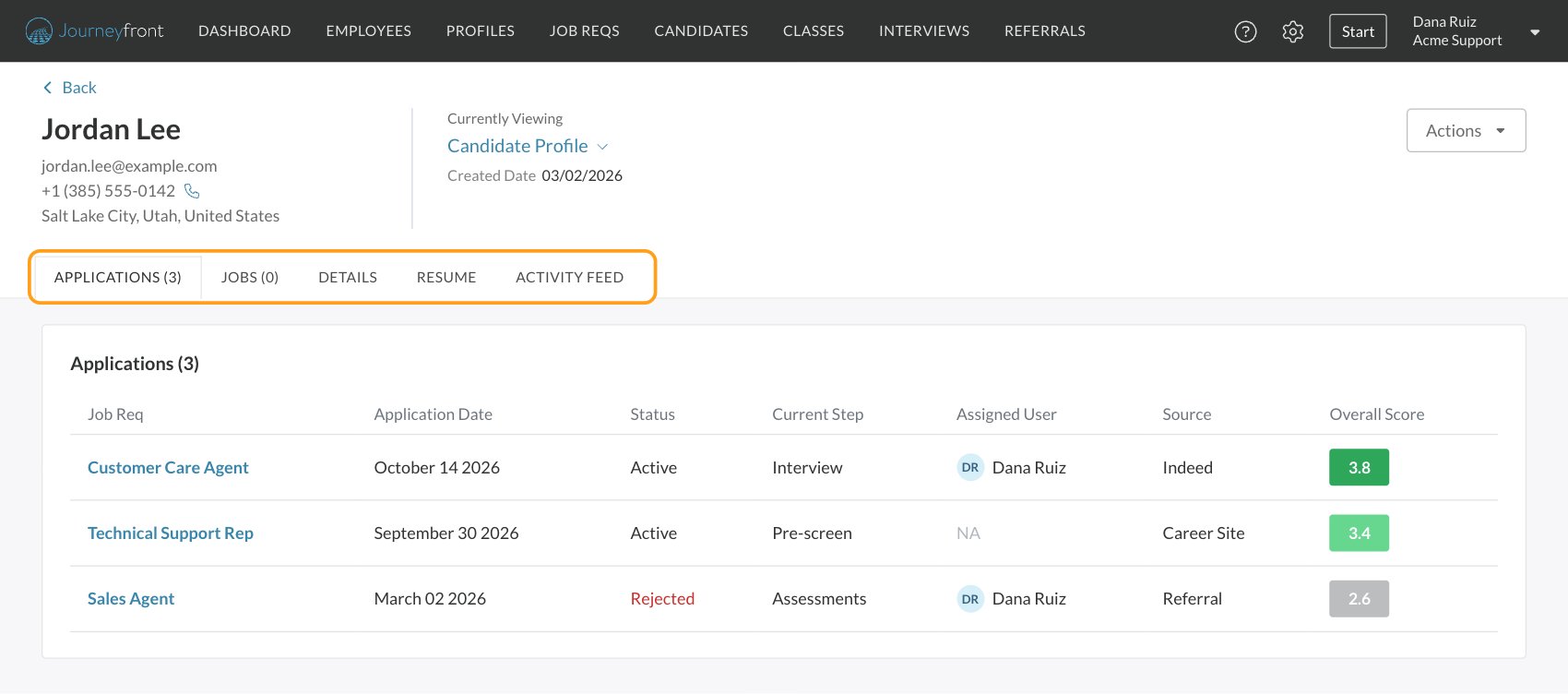
Comments you add on the Activity Feed belong to the person rather than to one application, which is handy for notes that apply to every role, like “prefers evening shifts”. See Comments and activity.
Applications and jobs on job reqs or job profiles you can’t access still appear, greyed out, so you know they exist. You can’t open them.
User ID and Application ID
Journeyfront shows two IDs, and both are on the Candidate Application’s Details tab with a copy button:- User ID identifies the person. It’s the same on every one of their Candidate Applications. Find it in the Personal Details card.
- Application ID identifies one Candidate Application. Find it in the Application Details card.
FAQ
Why does a candidate show up twice on the Candidates page?
Why does a candidate show up twice on the Candidates page?
The Candidates page lists Candidate Applications, so a person who applied to two job reqs has two rows. If the same person has two separate Candidate Profiles, for example because they applied with two email addresses, merge them. See Compare and merge candidates.
If I change a candidate's phone number on one application, does it change everywhere?
If I change a candidate's phone number on one application, does it change everywhere?
Yes. Contact details, location and custom personal fields belong to the person, so the change shows on their Candidate Profile and every Candidate Application.
Is the User ID the same as the candidate ID in our HRIS or other systems?
Is the User ID the same as the candidate ID in our HRIS or other systems?
No. The User ID is Journeyfront’s own ID for the person. Your HRIS and other systems keep their own IDs.
Can I see applications a candidate made to other companies?
Can I see applications a candidate made to other companies?
No. A Candidate Profile only shows applications and jobs in your account.
How do I add an existing candidate to another job req?
How do I add an existing candidate to another job req?
On the Candidate Profile or a Candidate Application, click Actions, then Add to Job Req. See Add a candidate to another job req.
Related
The Candidate Application
Everything about one candidate in one job req.
How the pieces connect
How job reqs, workflows, postings, candidates and hiring classes relate.
Compare and merge candidates
Combine duplicate records.
Edit candidate details
Update a candidate’s details and custom fields.