

Who can do this: Admins with the Company Settings Access permission connect JobTarget. Anyone who can edit a job req’s postings can post it through JobTarget.Availability: Connecting JobTarget costs nothing extra from Journeyfront. Paid boards are billed by JobTarget.
Connect JobTarget
Go to Settings, then Integrations, open JobTarget under Job Board, and set Activated to Yes. If you don’t have a JobTarget account yet, one is created and linked for you.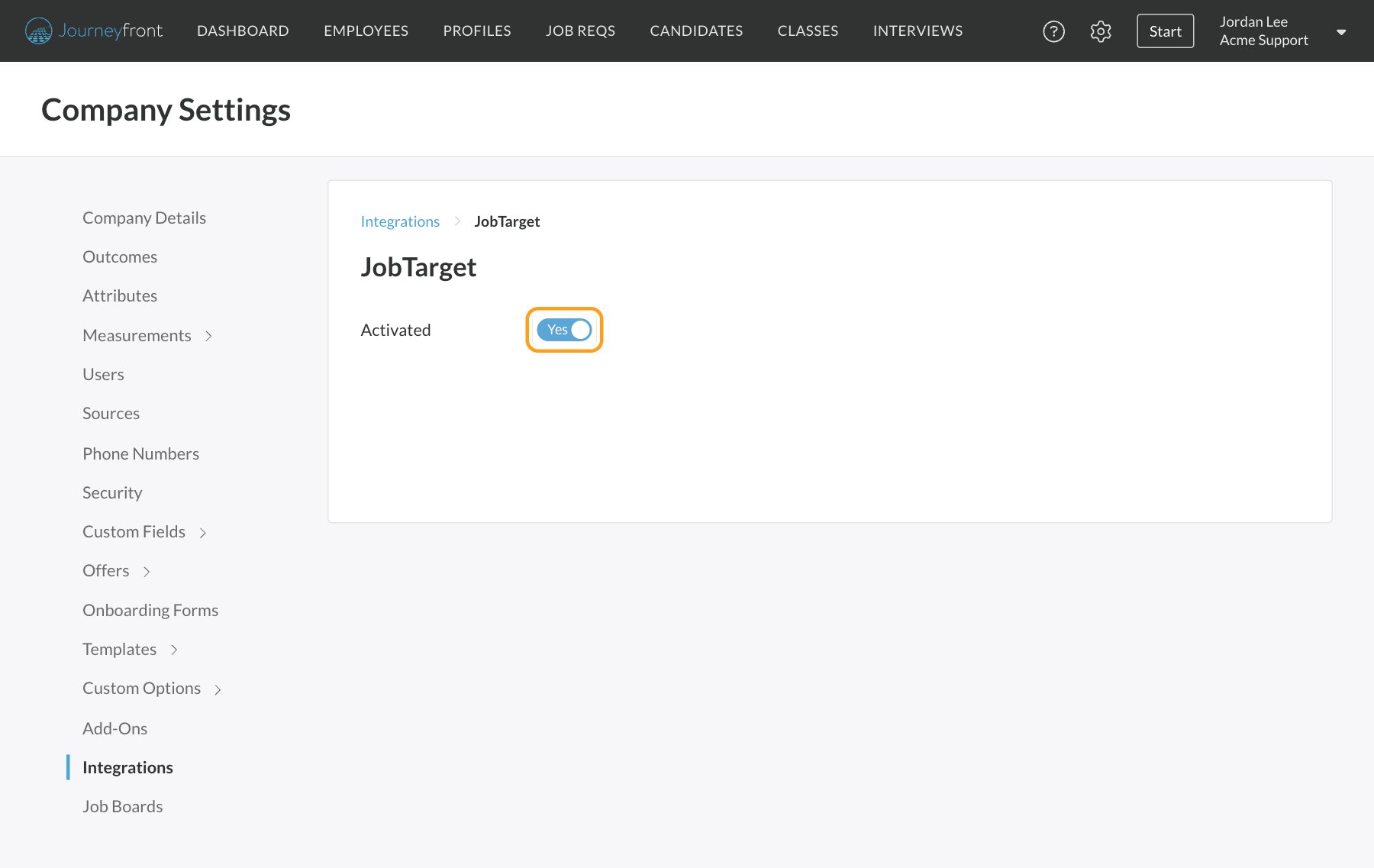
Post a job through JobTarget
Before you start, make sure the posting has a State/Region and a Zip filled in. JobTarget needs both.1
Open the posting
Open the job req and go to Setup, then Job Postings, and open the posting you want to promote.
2
Open the marketplace
Under External Job Board Posts, click Post to Job Board, then Job Post Using Job Target. JobTarget opens in a panel beside your posting.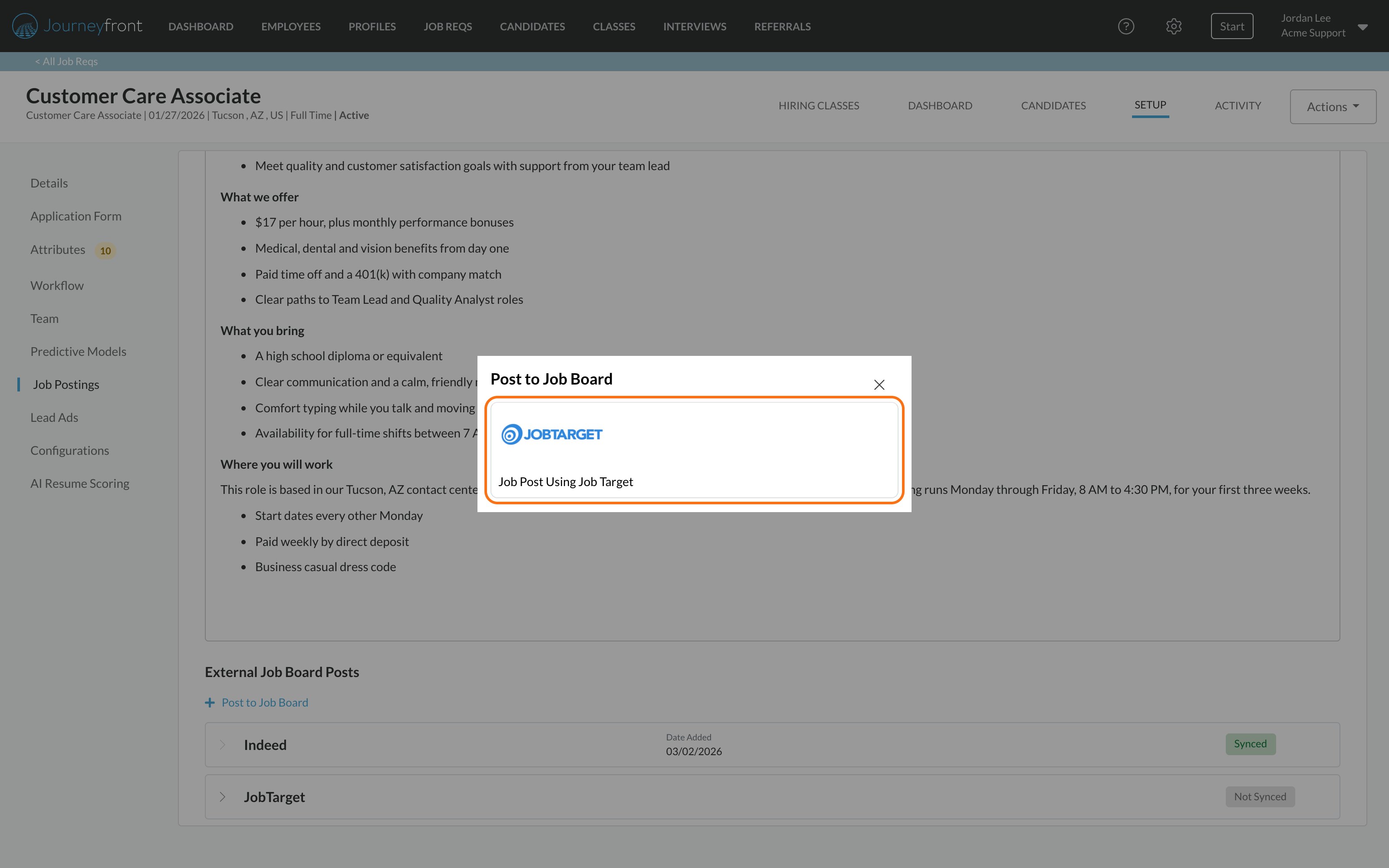
3
Choose your boards
Search or filter the marketplace by name, industry, job type or location, and add free or paid boards to your cart.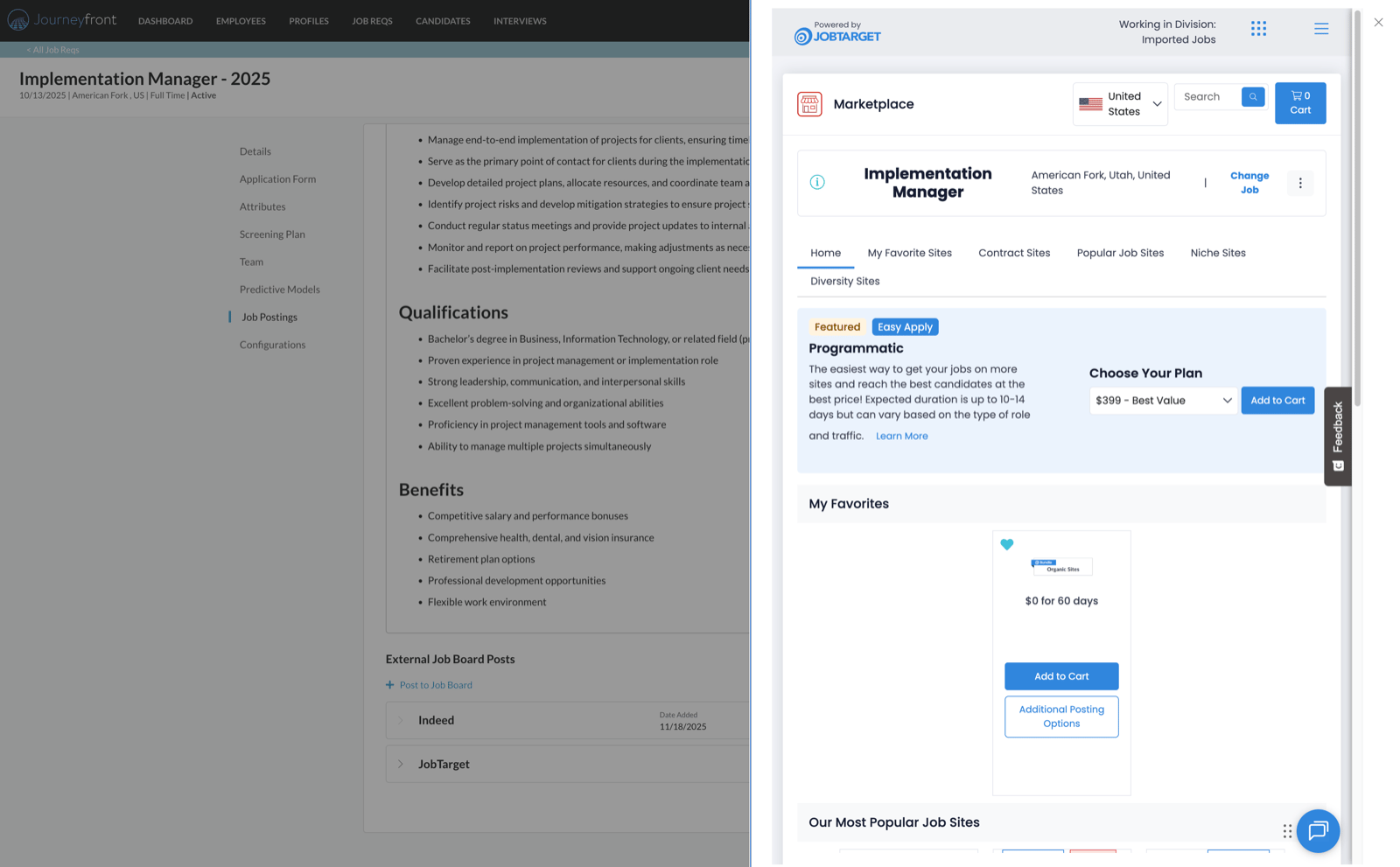
4
Check out
Complete your order in JobTarget. Pricing, payment and invoices are all handled by JobTarget.
Manage your JobTarget posts
Back in Journeyfront, External Job Board Posts lists the boards you posted to. Click Manage Job Post to reopen JobTarget and change or extend your postings.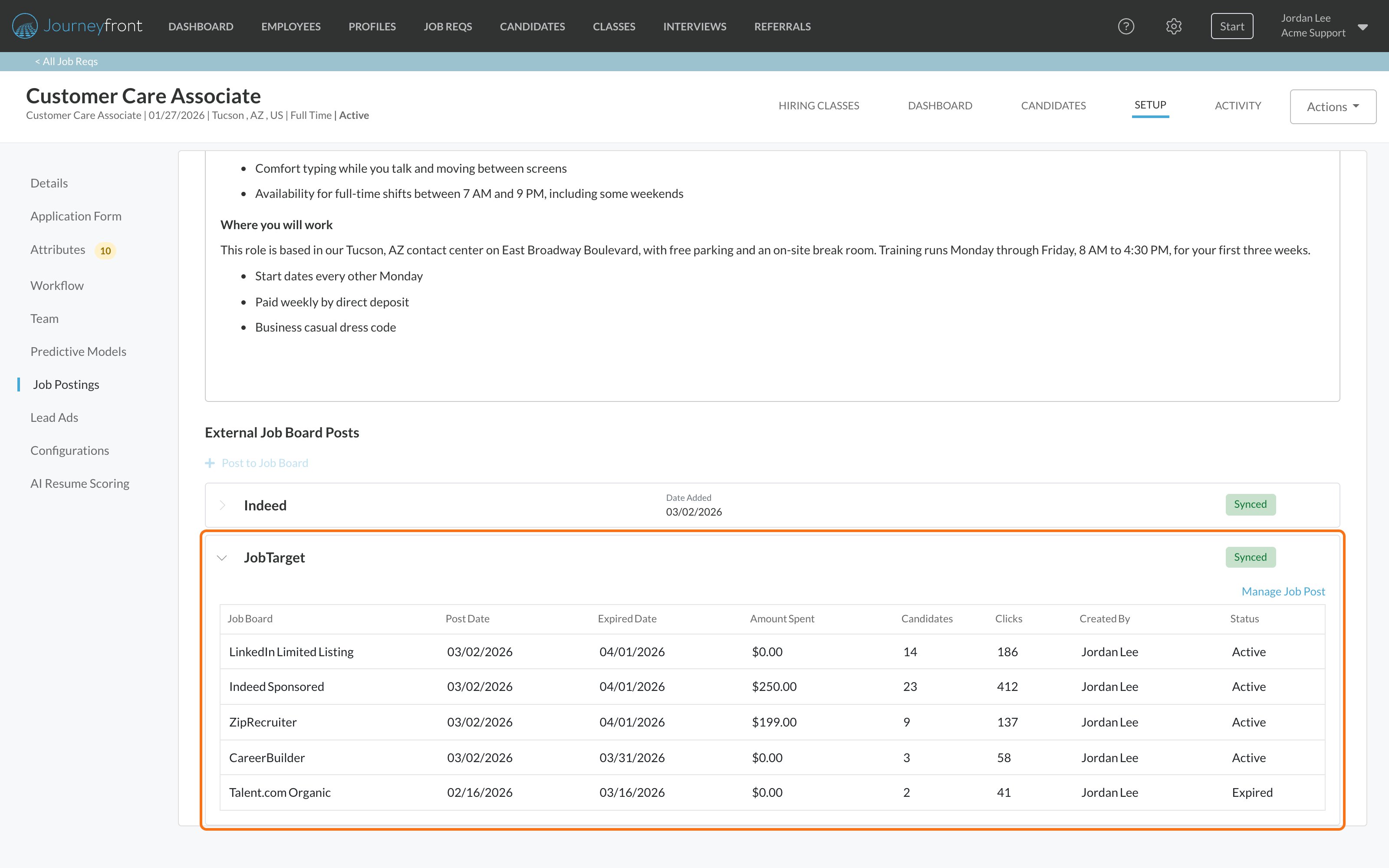
Changes you make to the posting or job req in Journeyfront don’t update or end your JobTarget posts. Editing, deactivating or closing them in Journeyfront leaves them running on the boards you bought. Use Manage Job Post to manage them in JobTarget.
How JobTarget candidates apply
The apply link on every board takes candidates to your Journeyfront application. Their source shows JobTarget together with the specific board, for example JobTarget via LinkedIn. These sources are created automatically.FAQ
Who do I contact about JobTarget billing?
Who do I contact about JobTarget billing?
JobTarget. JobTarget manages its own pricing, invoices and accounts. Journeyfront never stores your payment details for it.
If I close the job req, do my JobTarget posts end?
If I close the job req, do my JobTarget posts end?
No. Closing or deactivating in Journeyfront doesn’t reach JobTarget. Your posts run until they expire or you change them in JobTarget through Manage Job Post.
Related
Job board integrations
Compare Indeed, JobTarget and Appcast.
Job postings
Create and manage a job req’s postings.